
How do I delete a Sector ?
From inside the trip - Select the Option on the far right side of the Sector - IF it's Greyed out,, you'll need to drill down into the sector

NEXT - Set the UnitPrice, Taxes and the Net to $0.00 - and save the changes
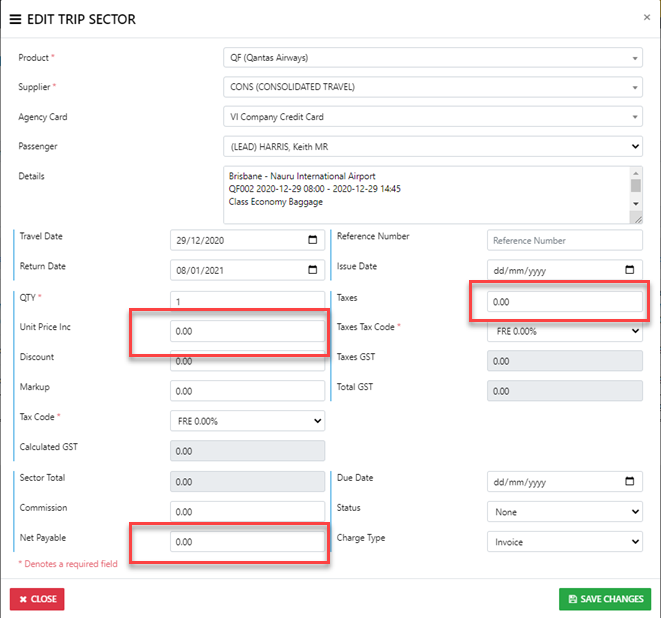
That will undo any Client funds allocated to the Sector AND render any Supplier payment on the Sector as a Credit which can be applied to an alternate sector for the Supplier OR Refunded to your Agency