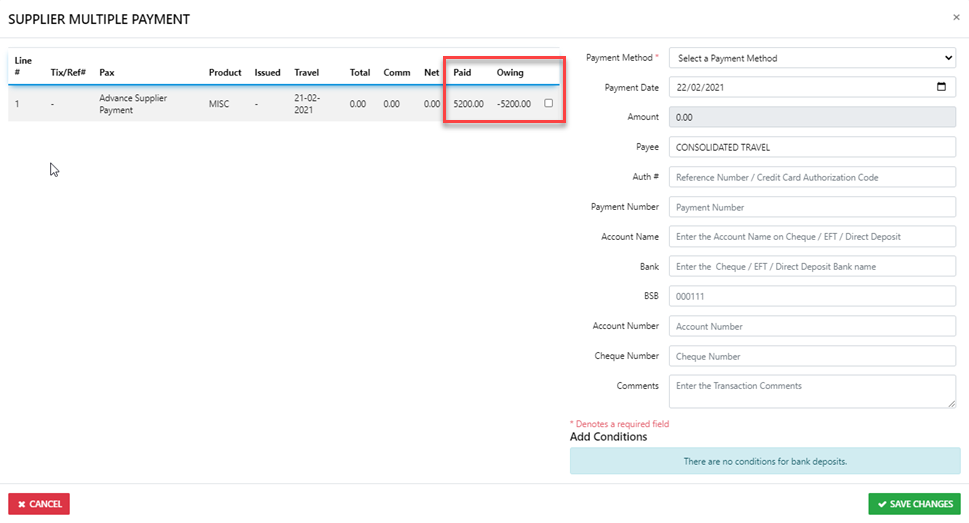
How do I create a Supplier Credit (prePayment)
Because ALL Trips start with a Client, begin by Creating a new Client Profile and call it Advance Supplier Payments (ASP) - you can reuse this profile as required
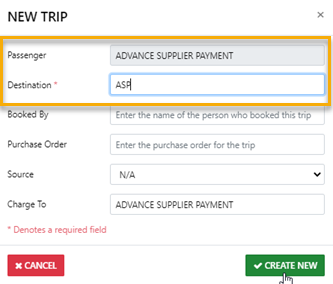
NEXT - Open a New Trip for the ASP Client with the DEST set as ASP
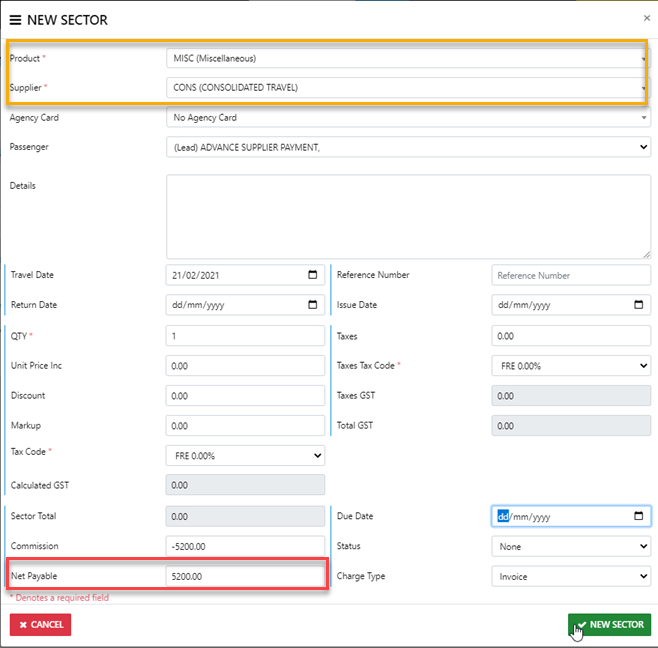
Now - create a new sector in the Trip with a Net value equal the the proposed Advance Payment Or Credit and set the Sector Supplier as the Actual Supplier and Save the Changes
Don't Forget to set the Status of the Trip to Active once you have created the sector
NEXT - go ahead and process a record of payment to the sector Supplier from inside the Trip using the correct payment method and the actual date of payment
Finally - drill back down into the sector again and reset ALL of the $ values to 0.00
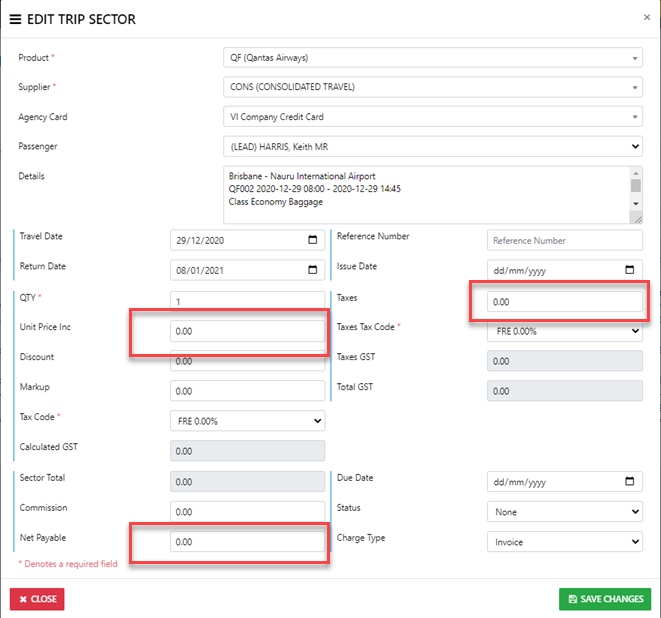
That will have the effect of making the advance payment display as a Negative Value or a Credit which can be applied to any sector for that Supplier at a later date.