
To Add user access to the Analytics options in Ultimate you first of need Owner permission for your Office/Branch
with that access granted you can select Admin on the Top Toolbar
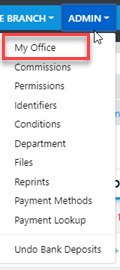
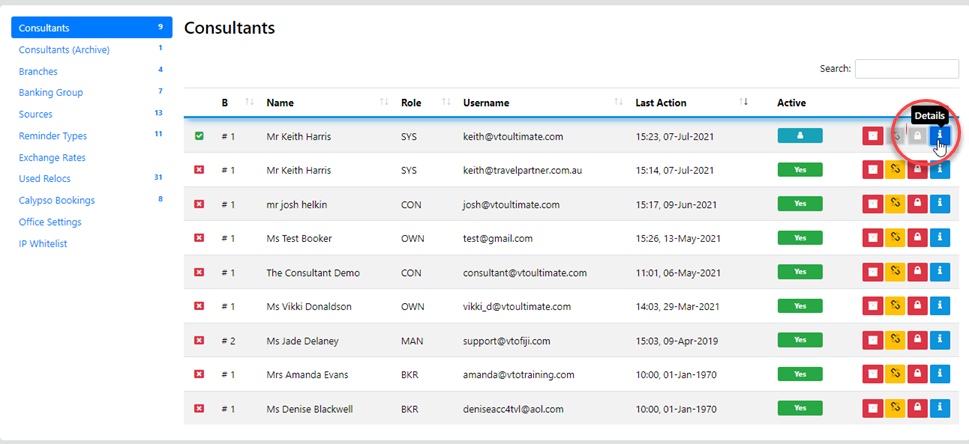
Then Select My Office and drill down into the profile of the desired Consultant
from here you can select Permissions
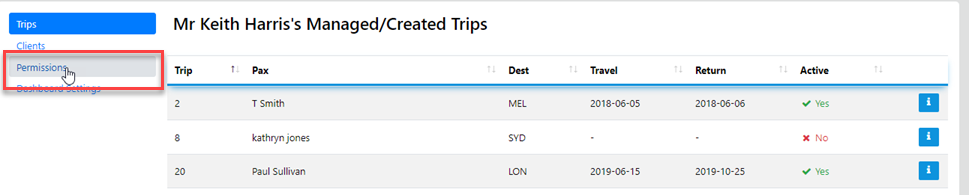
and the following will display
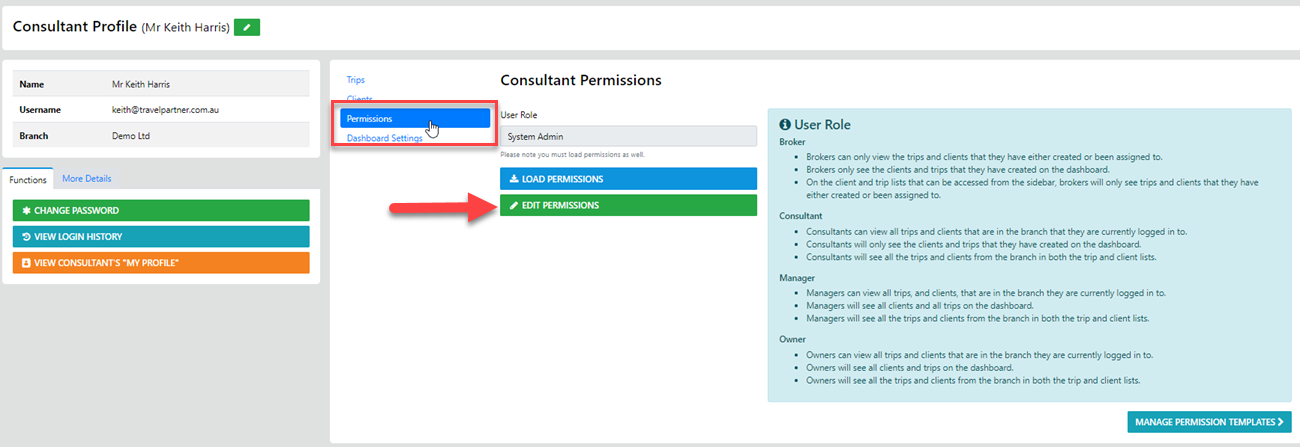
Select Edit Permissions and you'll be presented with the full set of controls
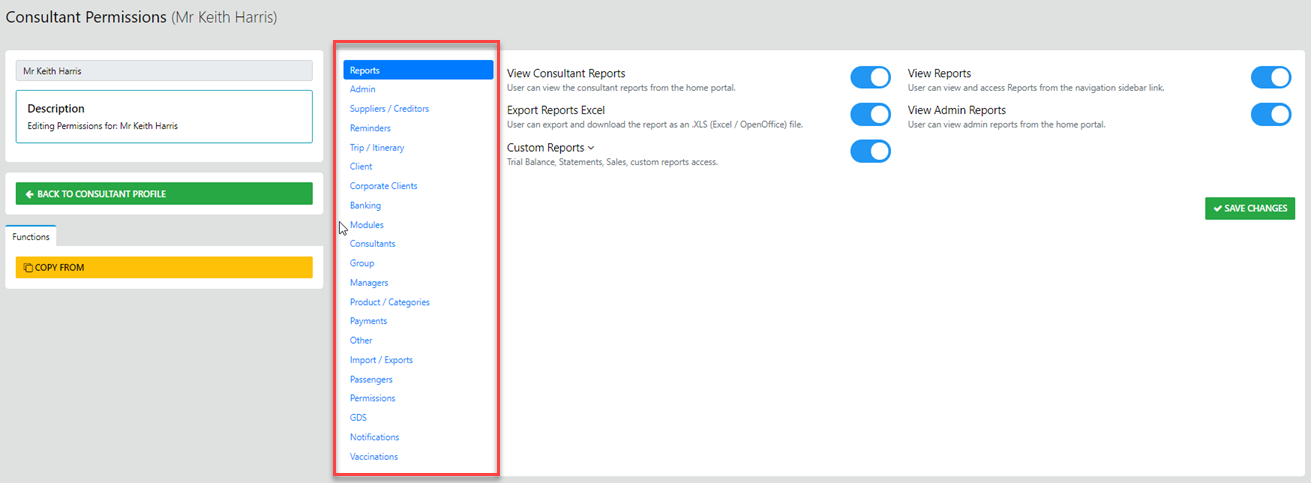
Now to turn on all or just selected elements of the Analytics suite select Modules
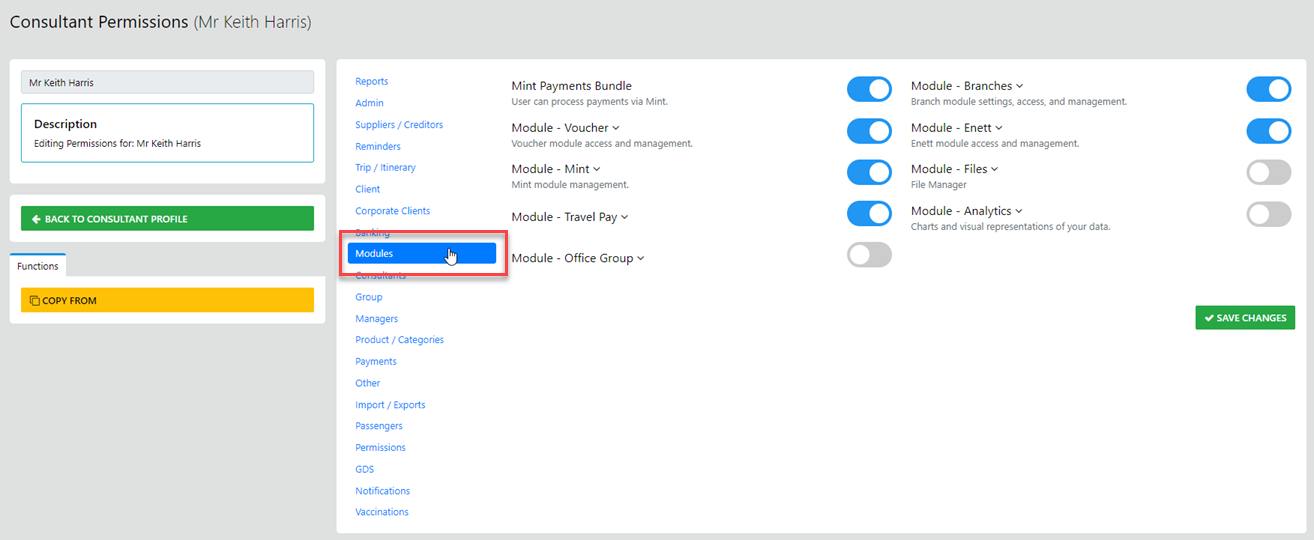
The Select Module Analytics - and drag the primary grey button to the right to activate ALL elements
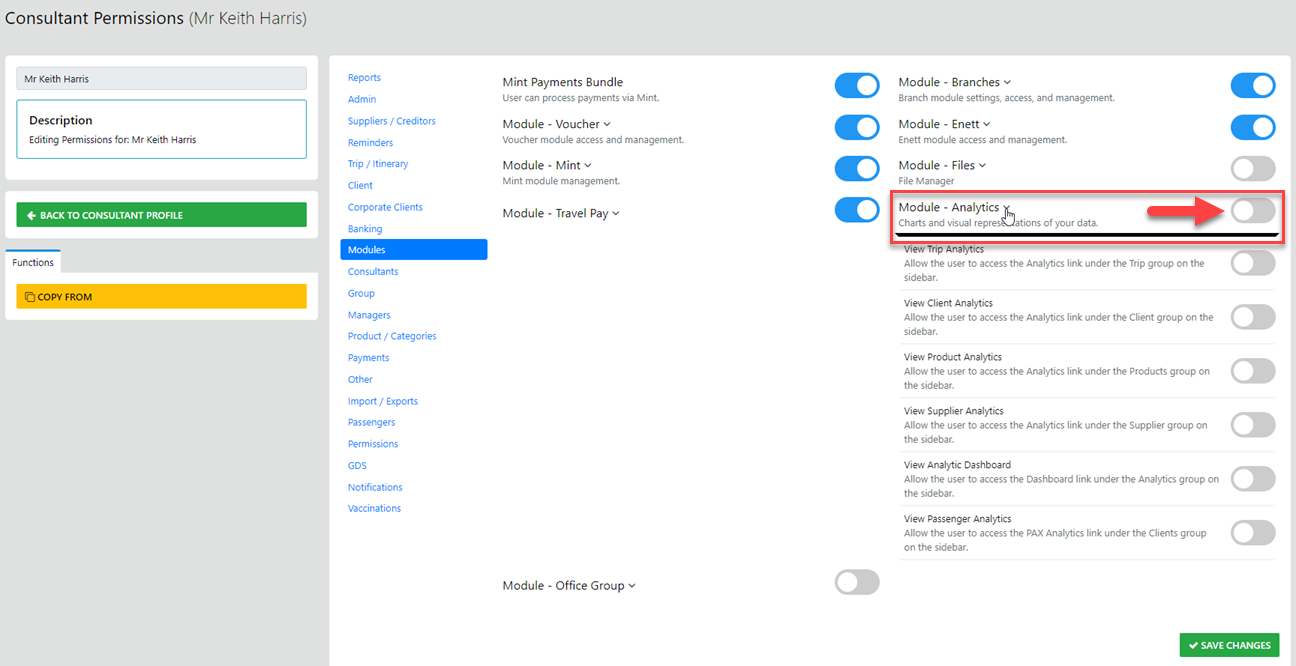
to selectively allow access to specific elements just drag the button adjacent to the element back to the left - THE SAVE CHANGES