
Processing a deposit / part payment from your client is a truly simple process
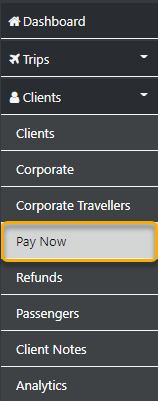
Start by going to the sideBar
then select Clients
Pay Now
this will reveal the following form
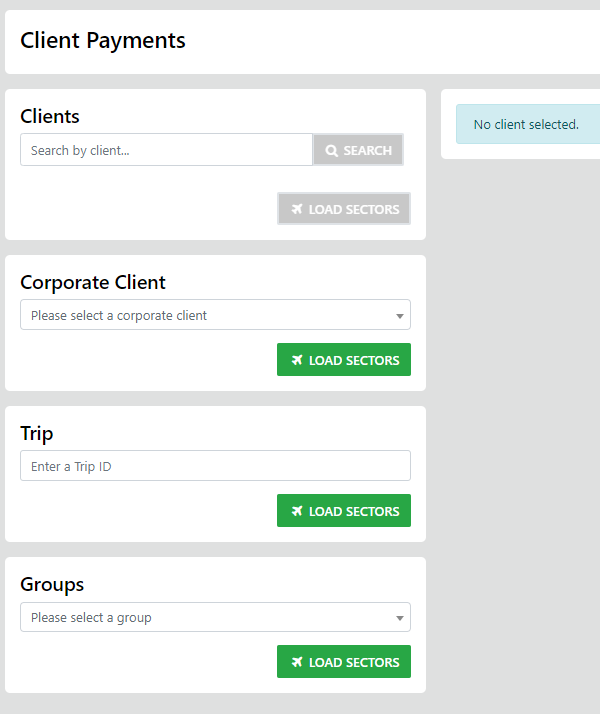
here you can enter either the client lastName - which will display ALL of the Trip Sectors that are awaiting payment for the selected Client - OR - you can select the Corporate Entity - A Group with appropriate results displayed - OR - you can as in our example select Trip and eter the Trip ID/# - this will display all of the unallocated sectors for that trip.
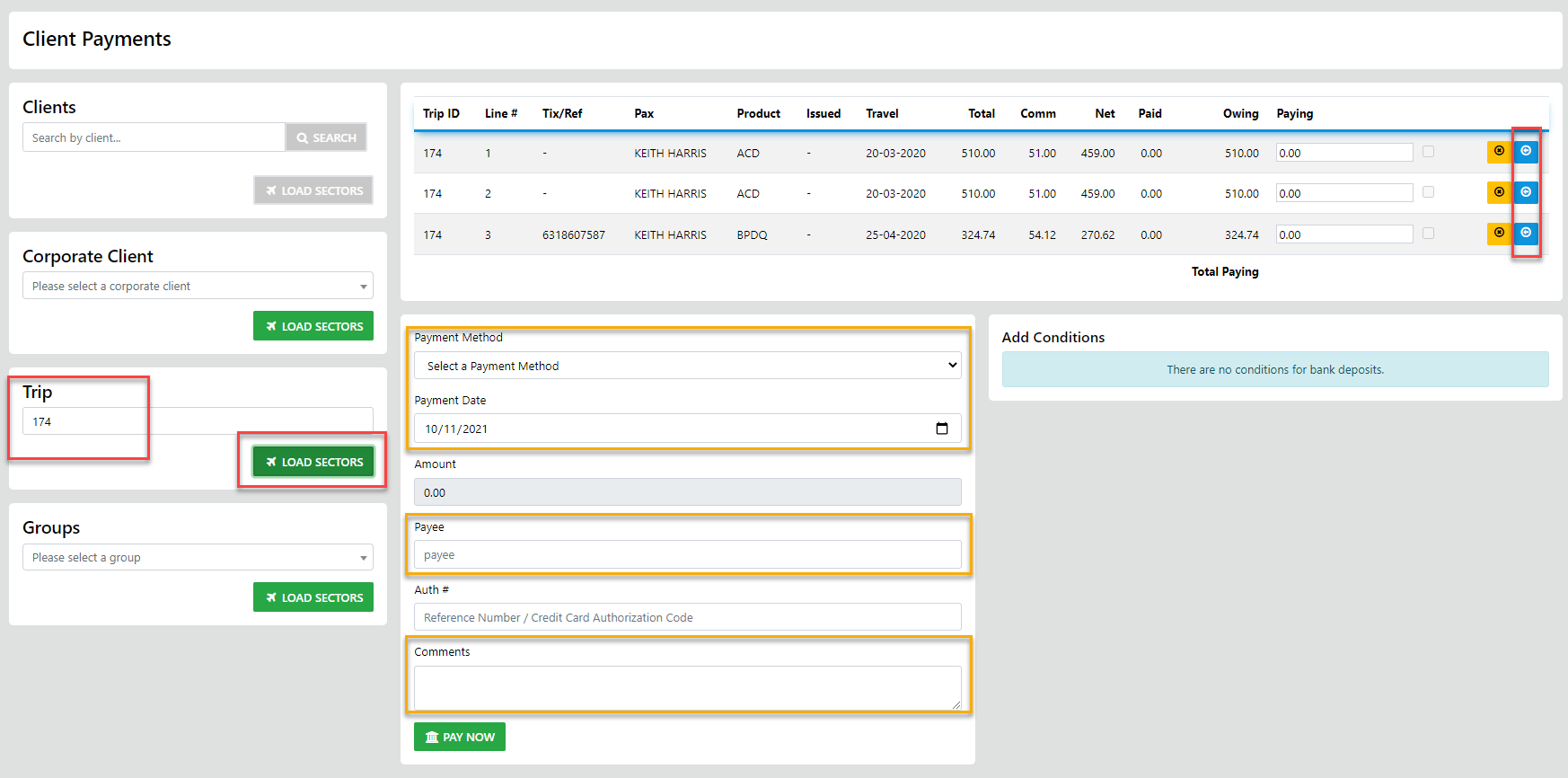
Just enter the Amount you want to pay on each sector sector involved in the deposit - then select the payment method, actual payment Date, add the payee and add any comments as desired finishing off with Pay Now