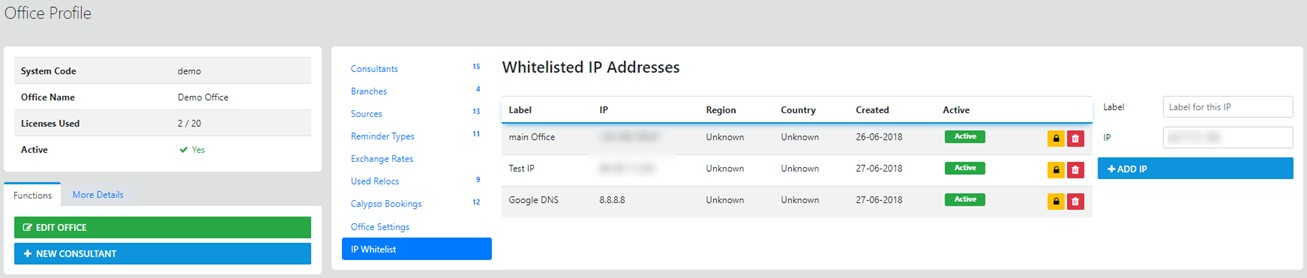
Office Details
This option allows updates to Office details, Branches (Multi Branch Required) Consultants and an upload facility for your office Logo
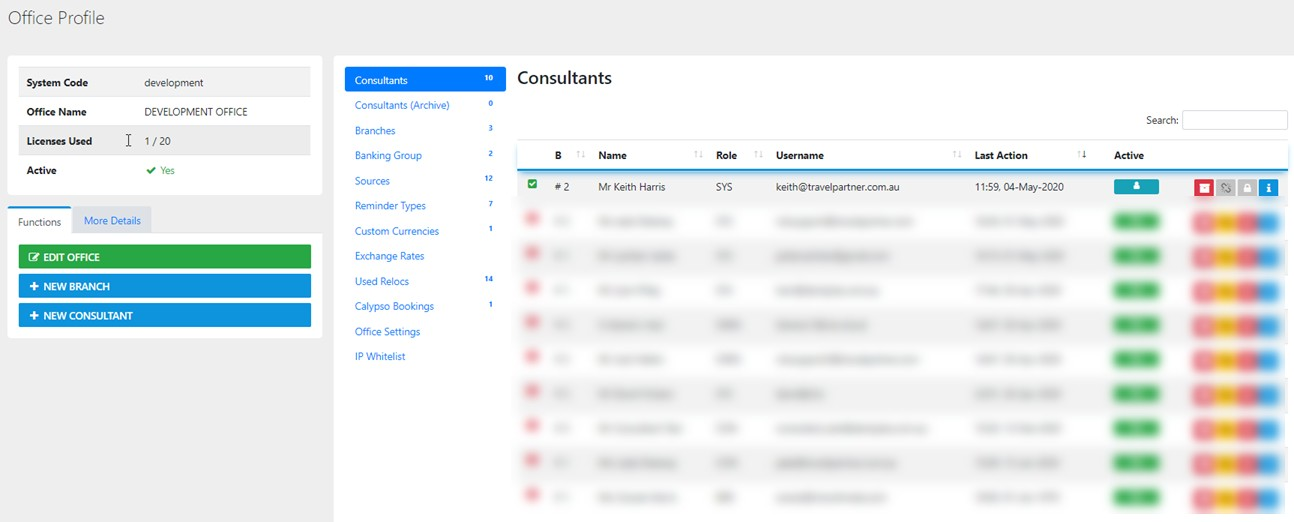
View Update Consultant profiles
To view or update the finite details for your Consultants select the "Info Tool" for each section
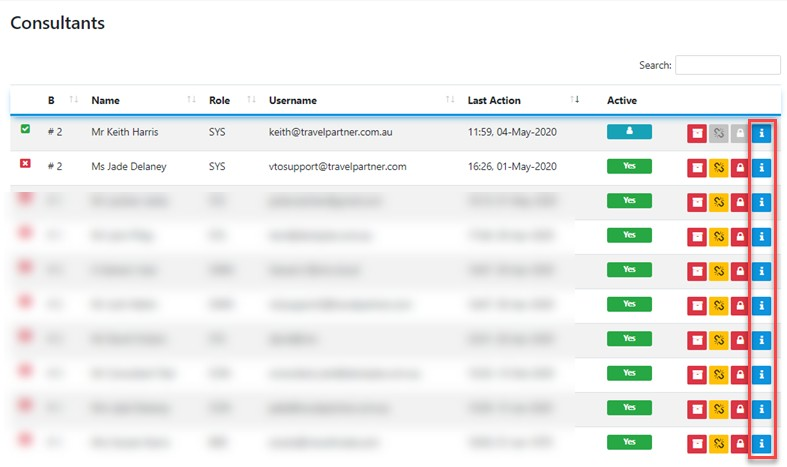
The Icons from left to Right do the following:-


Under the Consultant Profile TAB you also have access to Clients managed by the Consultant, Trips associated with those Clients and Permissions related to the Consultant
Branches
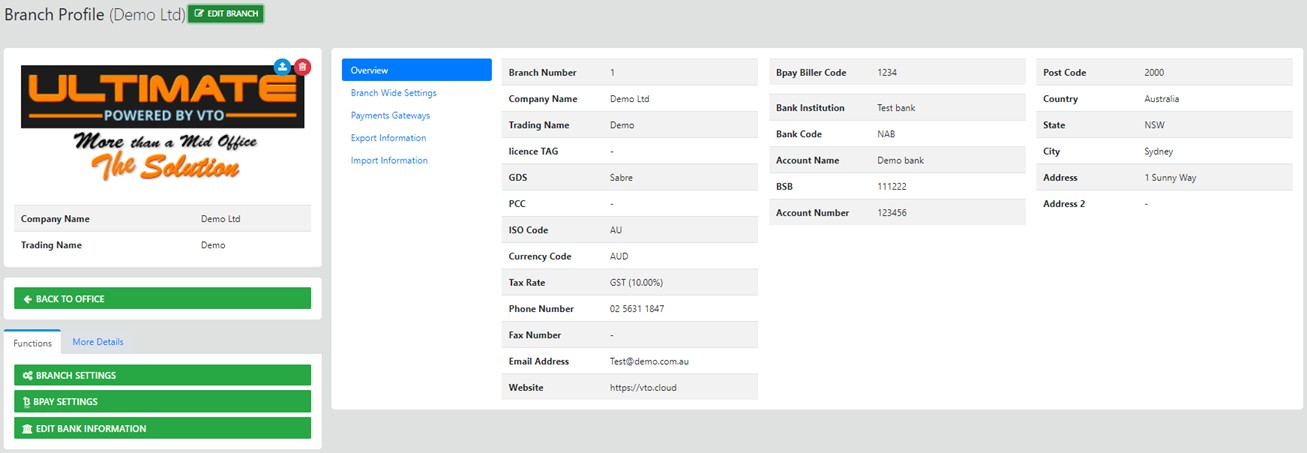
You can View/Update branch details (Multi Branch required)
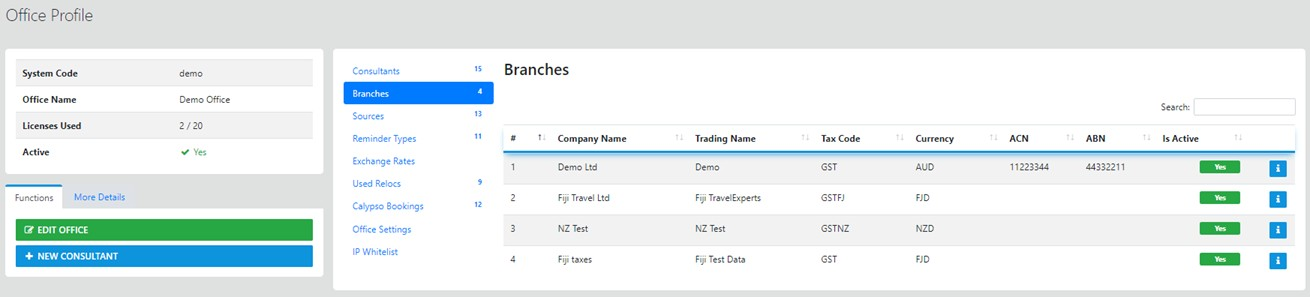
The information stored in this zone is what prints on outbound documents from VTO Ultimate, to Update this information select the Info Icon
To Update any changes you need to select Save Changes
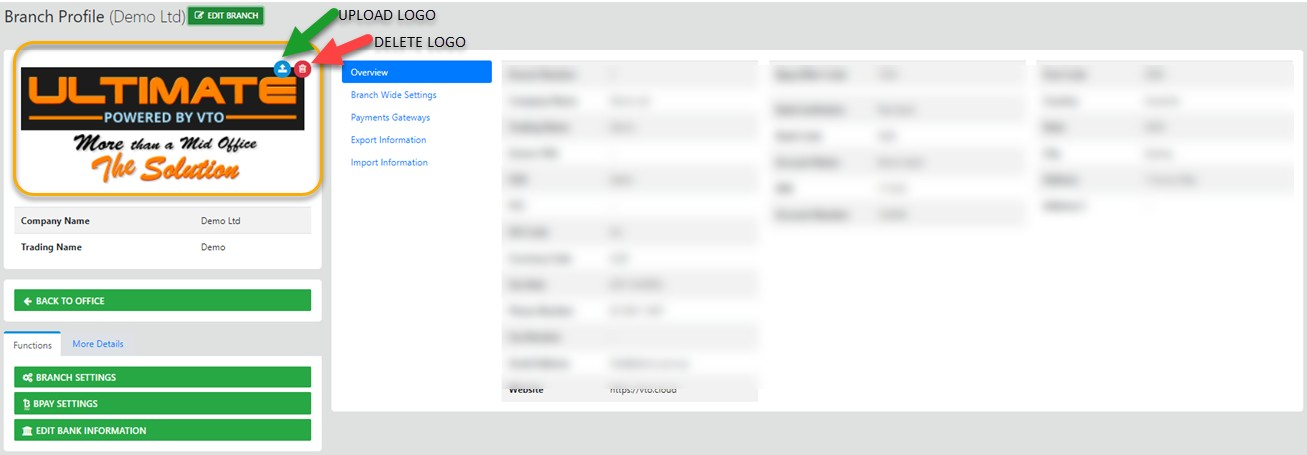
Update Office / Branch Logo
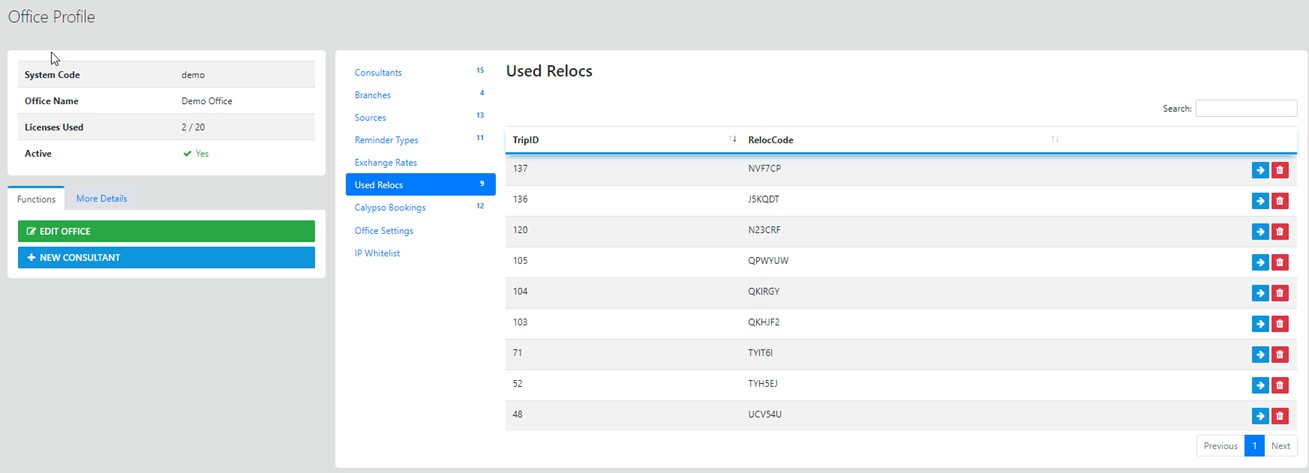
Review previously imported Record Locators (Relocs) - Select Office Profile -
Store the generic settings for the Product used for Booking Fees (Corporate Module Required)
Store the generic settings for the Product used for International Booking Fees (Corporate Module Required)
Store the generic settings for the Product used for Domestic Booking Fees (Corporate Module Required)
Select Office Profile -
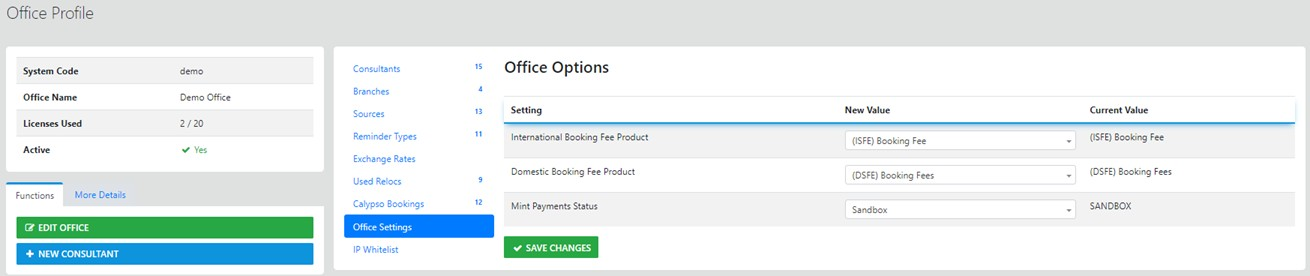
Remember any change you make requires the Save Changes option to be selected to save the changes
Restricting access to Ultimate from a predetermined IP Address
Select Office Profile -
To RESTRICT consultant's to only be able to connect to your office from your office you need the following:-
1. a Static IP Address (available on order from your ISP)
2. Your current IP Address will auto display beside the Label IP* - just create a Name for the Location e.g. Head Office then select "Add IP"
3. to Allow ALL users to connect from anywhere do NOT apply an IP Address
4. IF you have applied an IP address to the office you can apply additional IP addresses as required to allow individual consultants access from their home location
5. You can apply an IP address for each branch under your office if required
6. you can DELETE an IP address if and when it is no longer applicable