
ABA (Australian Banking Association) Pay allows you to Process a Live Payment in Ultimate to your Supplier/s
THEN
Download that record in the Banking file format required
(you will normally find this file in your Downloads folder)
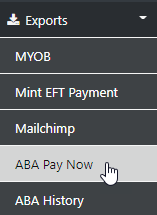
Let's start with selecting the Exports Option then Select ABA Pay Now
NEXT
select the required Supplier from the list of your suppliers assigned to the ABA process
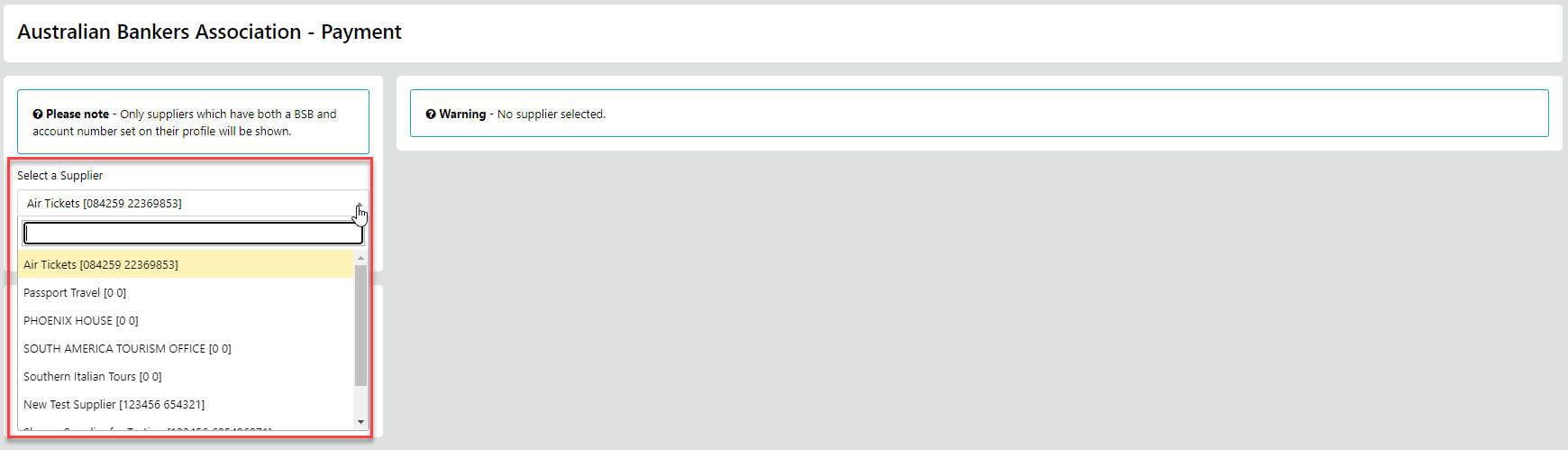
in this example we'll use Air Tickets
for the payments to be included in the Pay run you MUST include
the Ticket/Ref/Booking/Policy Number associated with the sector
you can add them by selecting the "Pencil/Edit" option
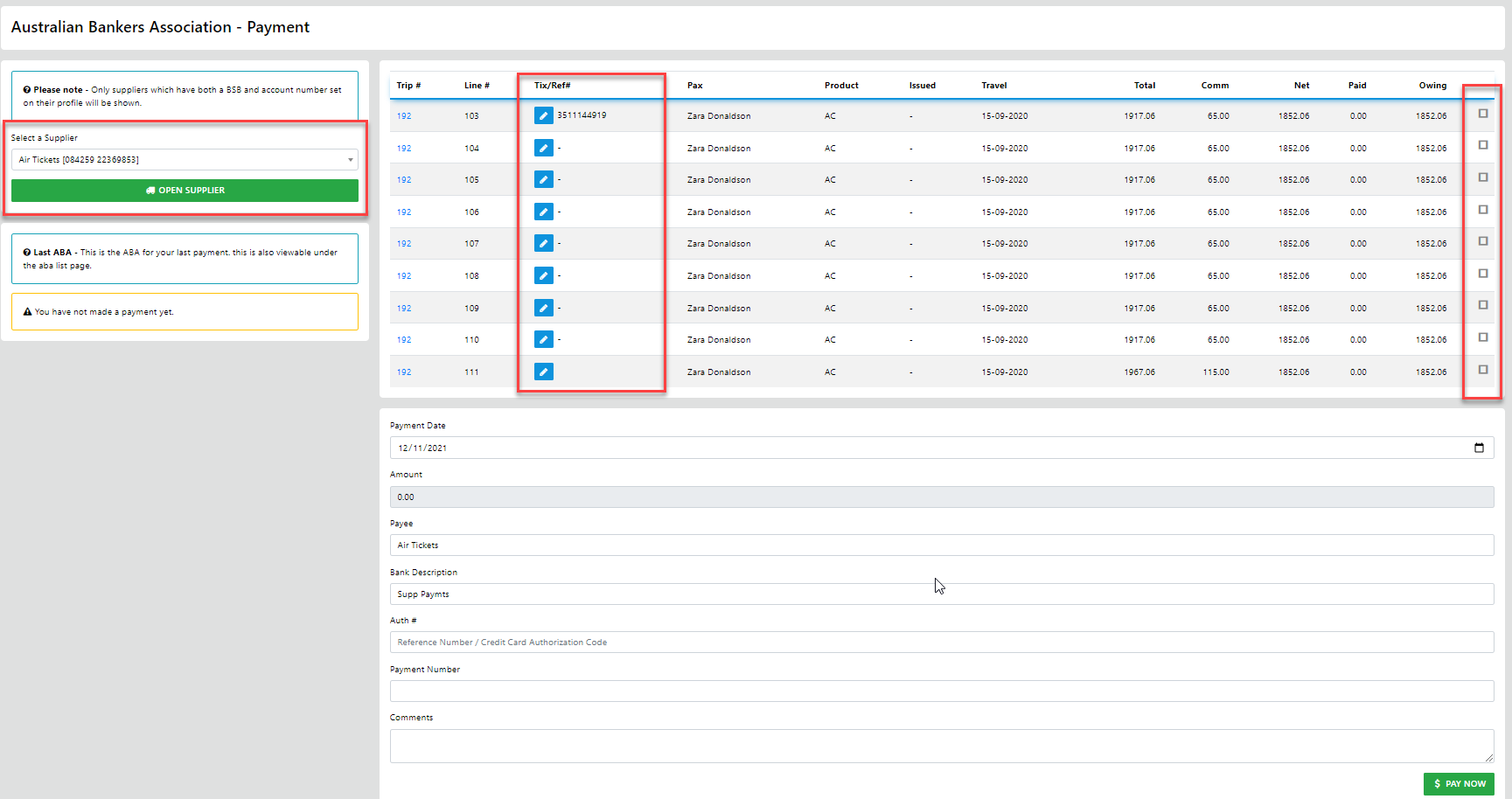
NEXT just select the sectors to be included in the EFT settlement run
enter the date you want the payment to be processed
add any additional info
finish by selecting "Pat Now"
NEXT the Remittance advice will populate
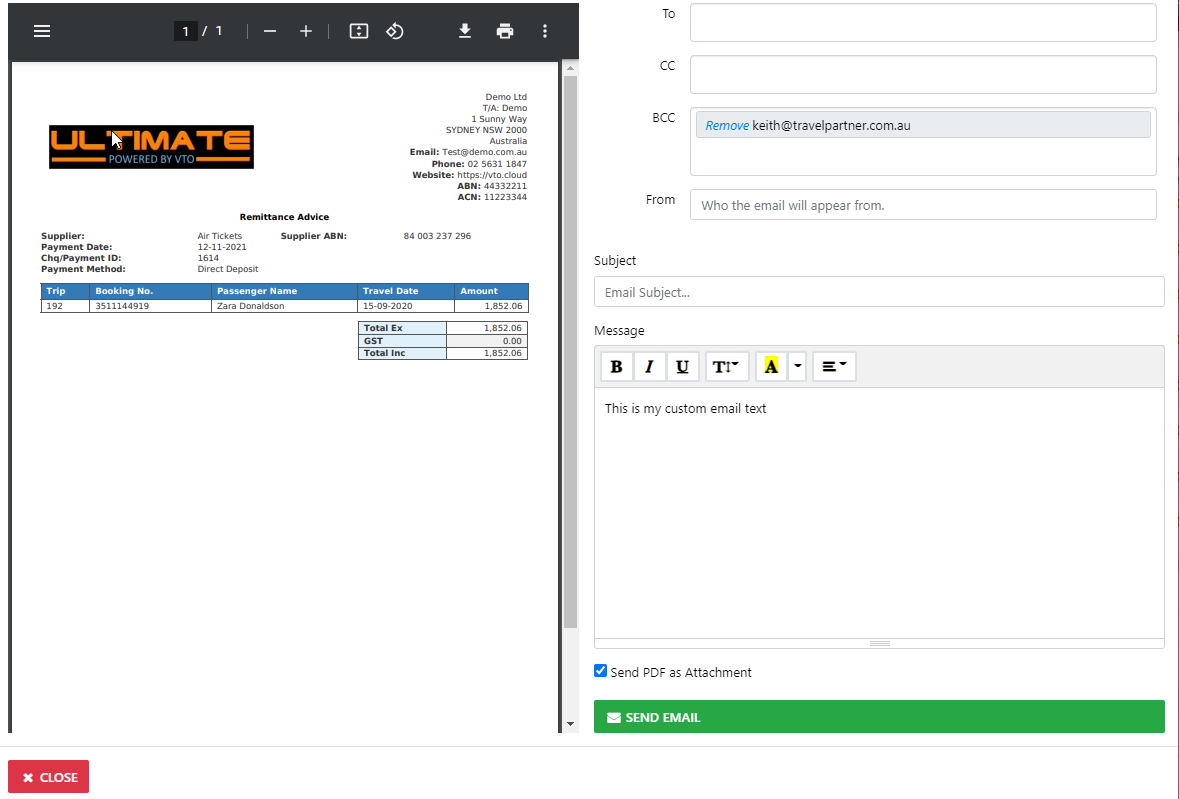
you can email that to your supplier if desired
Now you can select DOWNLOAD
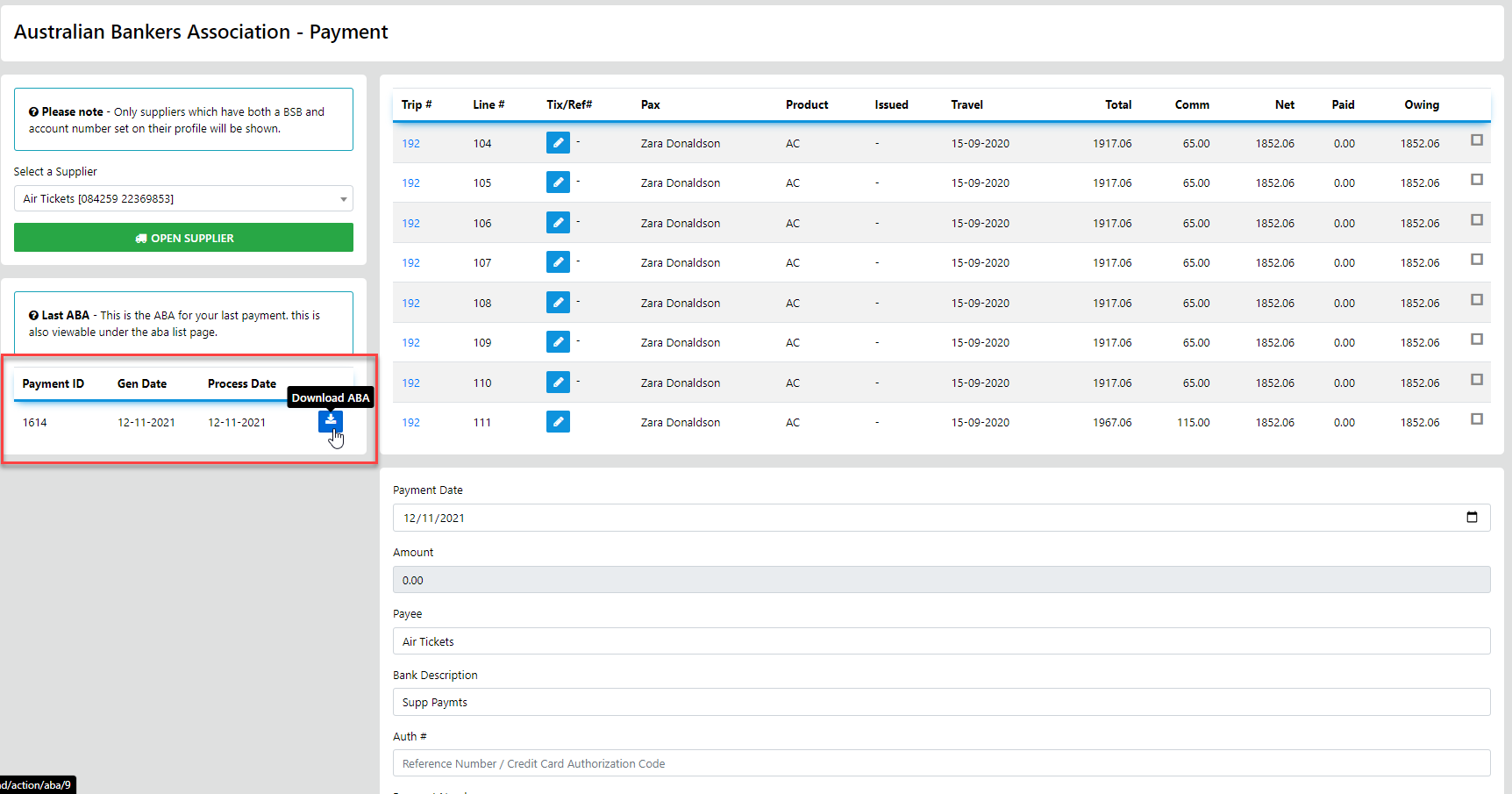
NEXT
You can UPLOAD the file to your online banking system with all the required instructions
Who to Pay
When to Pay
and How Much to Pay
essentially it's a replication of the PayID system used by the Banks
You do need to do Three (3) critical steps beforehand
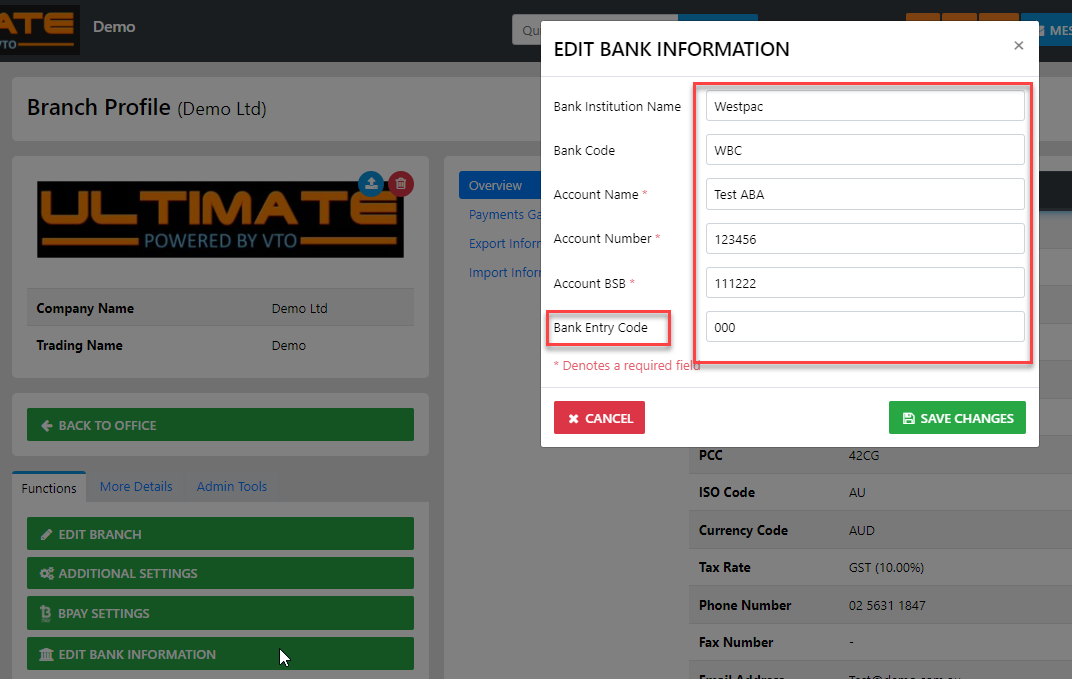
acquire the Bank Entry Code for your bank and add it to your banking info
Update you banking details
Admin - My Office - Branches -
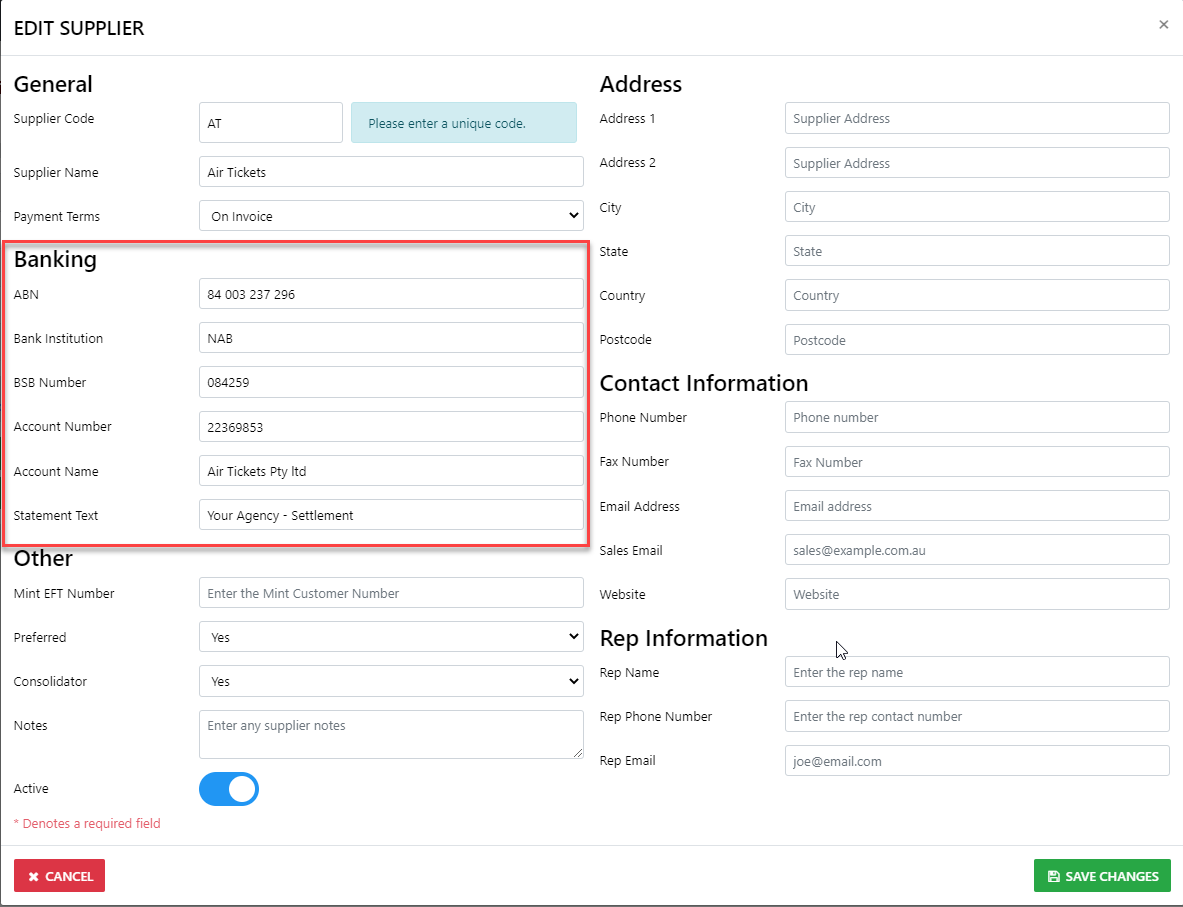
update the Supplier profiles with their banking information
ALL OF THESE TRANSACTIONS ARE EFT FROM YOUR ACCOUNT IN REAL TIME