
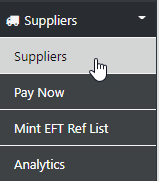
Select Supplier to view the first 20 Suppliers in your database OR select the Search option and enter part of the Supplier Name or Code
you can re-order the displayed fields by selecting the option in the row header
To Update or Edit the Supplier Details use the edit tool
To display the next page of data use the pagination option
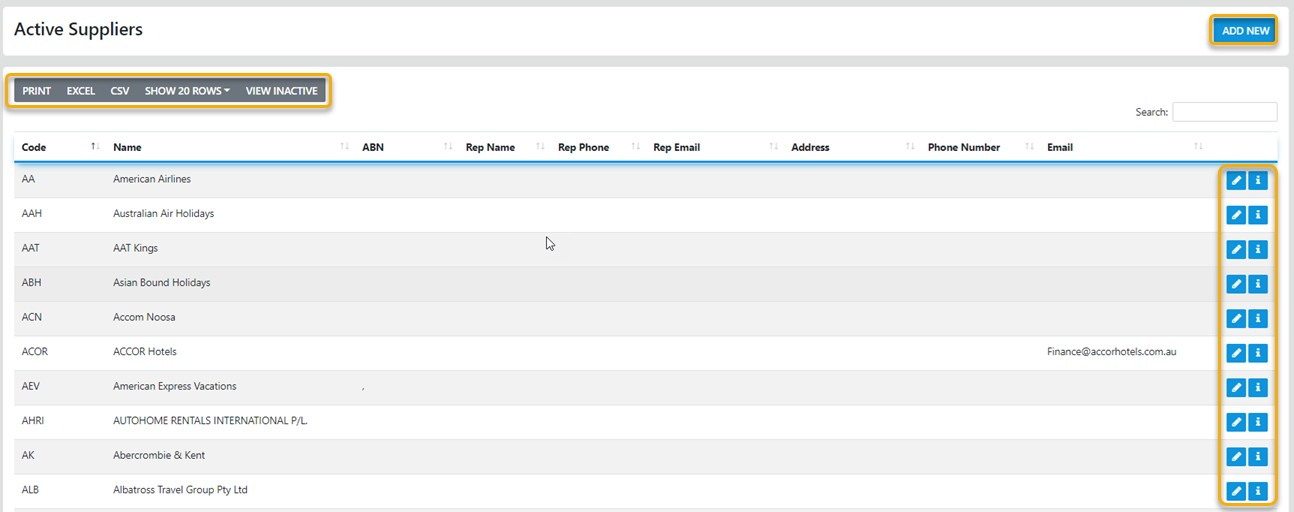
To ADD a New Supplier simply select the ADD NEW option button then fill in all of the required fields

The Basic Information Required is in the General Section of the form
The Banking Information is required if you are using the ABA Pay Now Option
The Other information fields are required IF you are paying your Suppliers via our Mint EFT option
The address, Contact & Rep Information fields send data to Vouchers and Invoice documents and also to our Weblinx Option where the data serves as on onboard phone book