Bank Reconciliation
Depending on your Permissions (see Admin-Staff-Permissions) you can easily reconcile your Vto Travel Account against your actual bank statement by using the following steps;
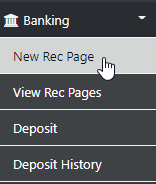
From the left hand Tool Bar Select Banking then Select New Rec Page and the Following form will be displayed
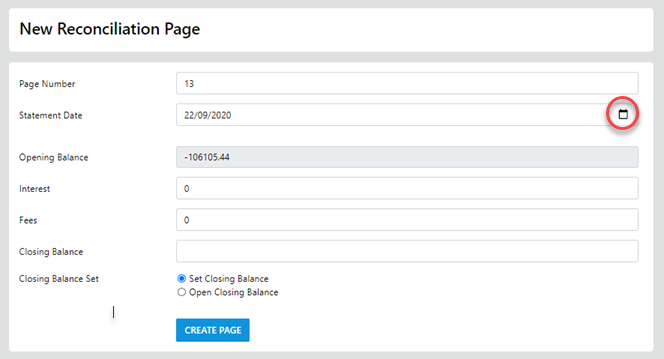
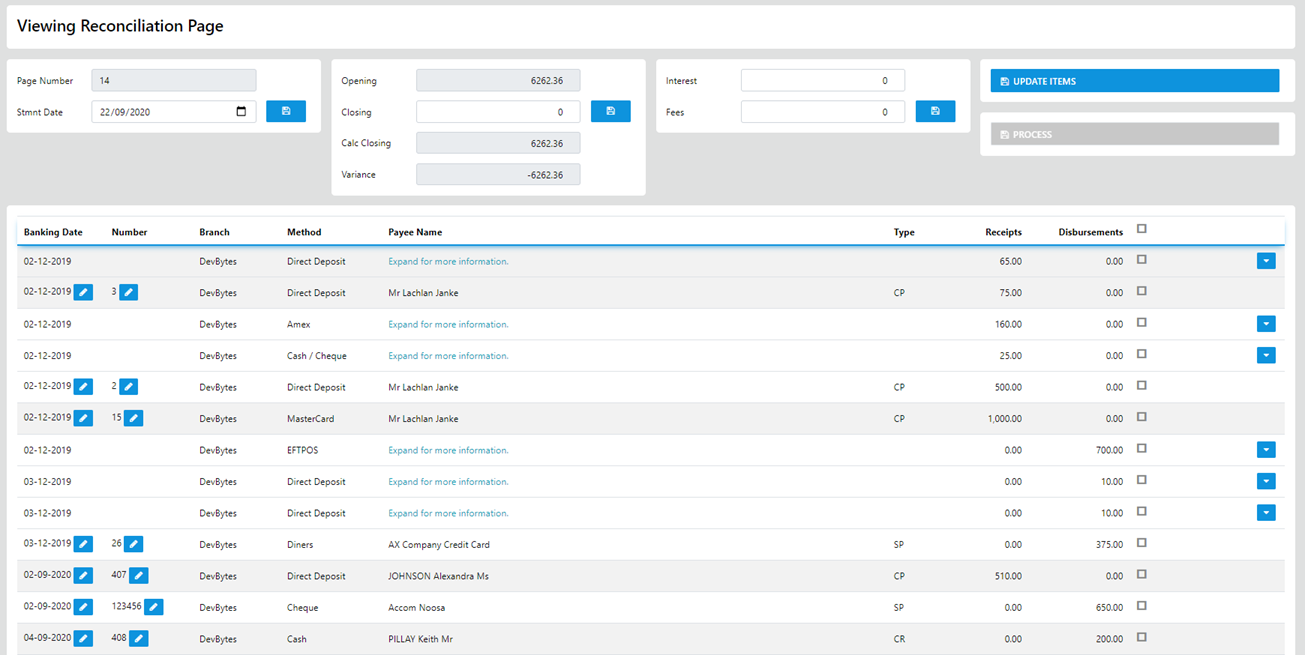
The page number can be overtyped but the best practise is to let the system auto number for you. Once you select Create Page the "viewing reconciliation page" will display with the page number auto filled and you can Update the Statement Date to that which matches your actual bank statement.
You can Update the closing balance manually or let the system calculate it for you on completion, you can ADD Interest and Fees charged then continue by selecting the line items which match the transactions on your bank statement.
Line items displaying with expand option are typically items which have been grouped by paymenthod or paymentID on a given date and can be expanded to allow editing of the banking dater (which will move it out of the grouping) or only select the option which match your statement in the group.
When all of the selected items match the transactions on your bank statement you can reconcile the entries by selecting the Process Option.