
Voucher/Points Redemption
If your office redeems Points (Amex and the like) as a form of payment either in full or as a part payment for Client Travel, adoption of our Voucher system will make managing and recovering real money for the points redeemed a very simple process.
There are three steps which need to applied as part of the process
Step 1.
Requires the receipt of a payment either in part or full to using the Method "Voucher" and allocated to the sector
Step 2.
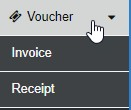
Next - from the sideBar select Voucher - then Invoice
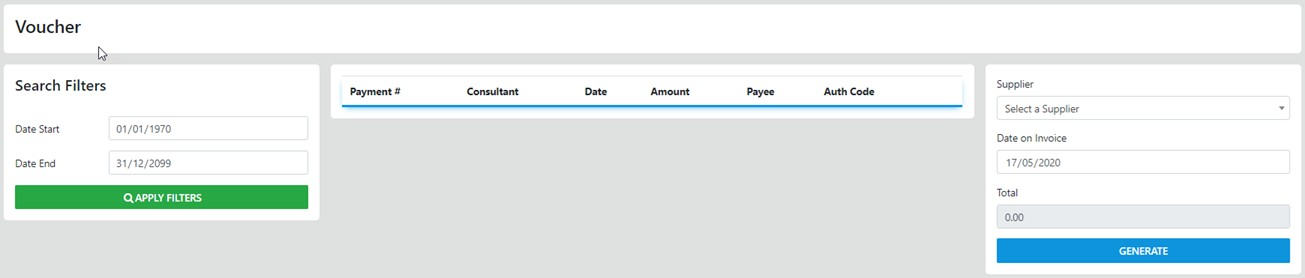
from here you set your search filter (the date range for the applied Vouchers) - then select desired line items AND the Supplier of the Vouchers OR Points
remember to set the date of the Invoice and finish by selecting Generate
The invoice will display allowing for emailing to your Supplier
Step 3.
On receipt of Payment for the Invoice return to the select Voucher - then Receipt and the following screen will display
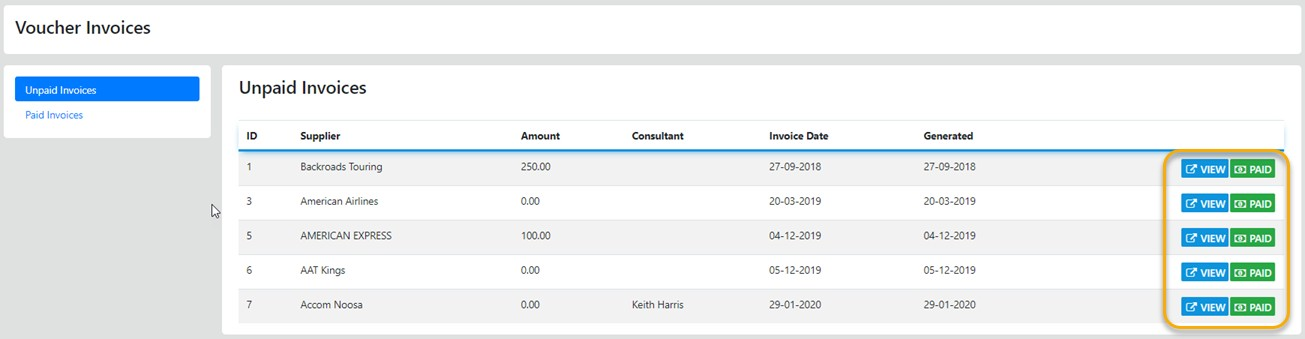
all that is left to do now is select Paid and the receipted payment if by Cheque will be visible in your Banking otherwise in your Bank Reconciliation screen