
Please use the following script to create a Smart Key for creating Vto Client Profiles in Amadeus Connect
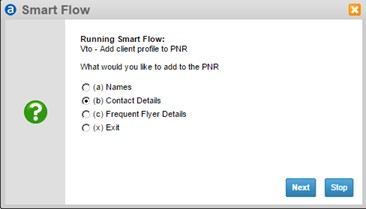
Vto - Add Contact information to the PNR select Contact Details ... Then Select your desired option
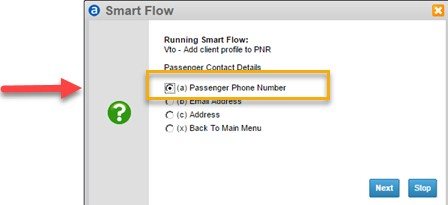
Then follow the screen prompts taking note of any special instruction as with Phone Numbers
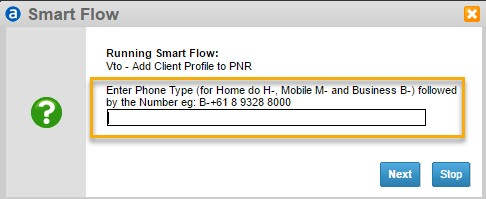
To manually add Contact information to the PNR use the following code set
aph-[<?Home Phone>]<SEND>
apb-[<?Business Phone>]<SEND>
apm-[<?Mobile Number>]<SEND>
ape-[<?Email Address>]<SEND>