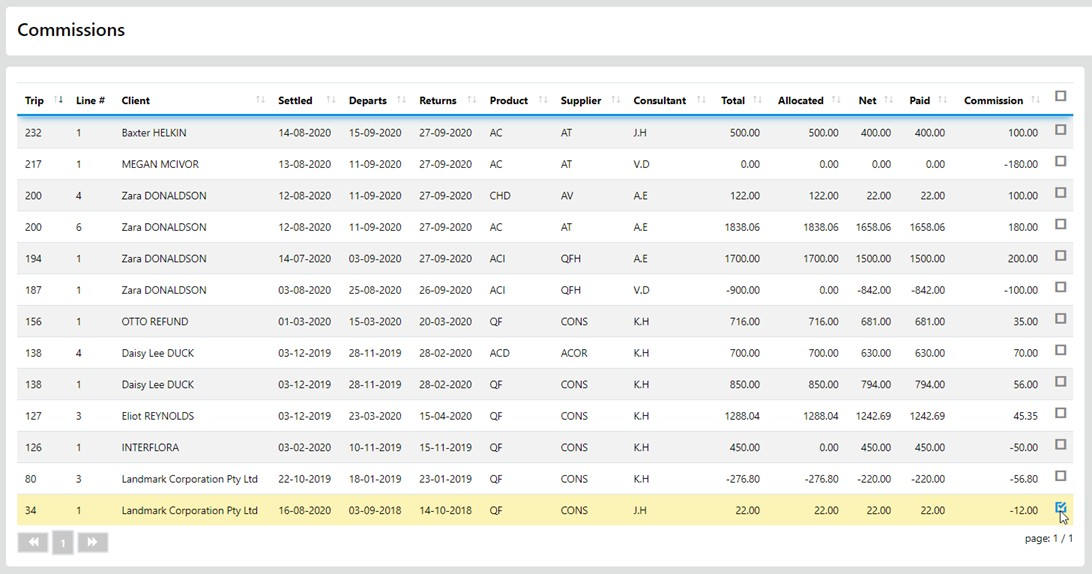
To reset the cell values in a sector to Zero in one simple move simply select the Red Back Curl at the right end of the sector as displayed below.

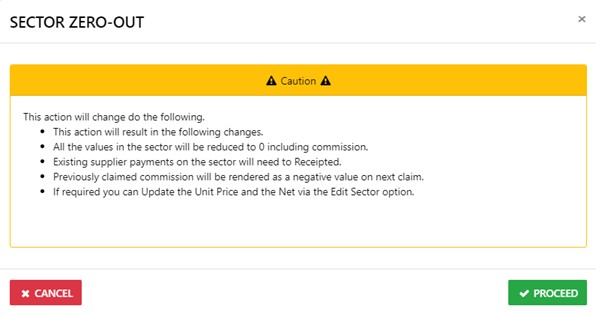
You will be presented with a Caution Notice, to continue with the process select Proceed
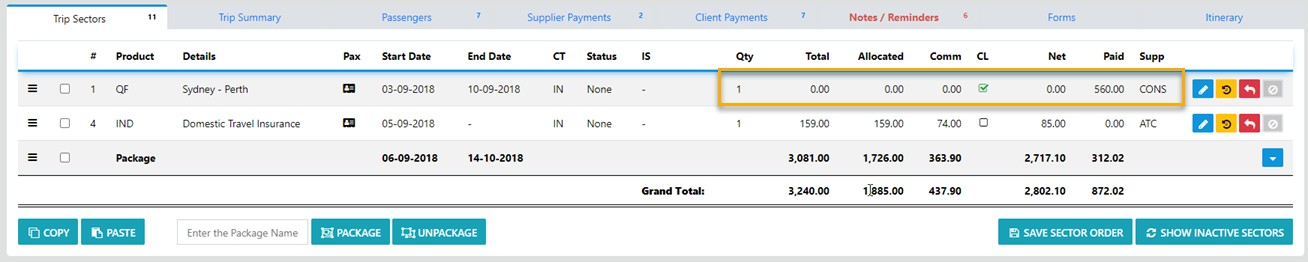
And all value for the sector will be reset to 0.00 except for the display of any amount paid to the sector Supplier
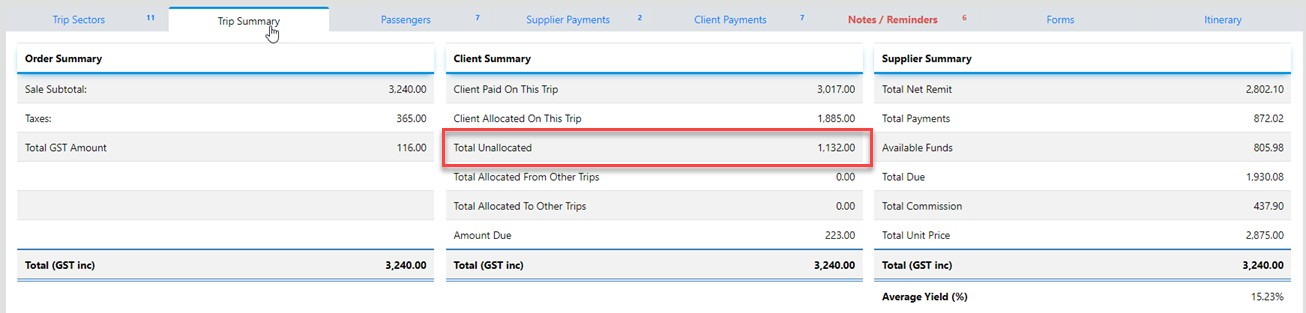
When you select the trip Summary TAB any Client funds Allocated to the sector will display as Unallocated
Next - you need to drill down into the sector and reset the Unit price to reflect what the now owes on the Sector and the applicable New Net
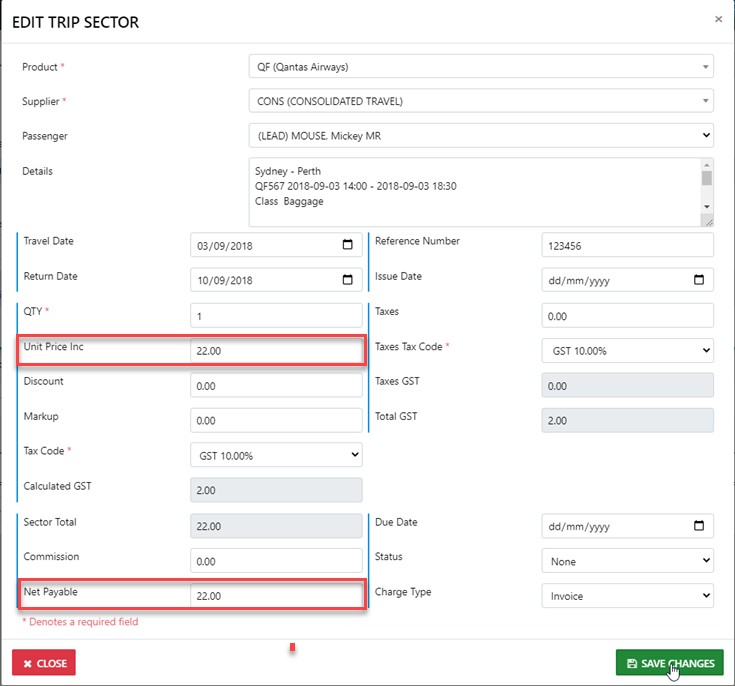
On "SAVE" the sector in detail m ode will display your updated entries
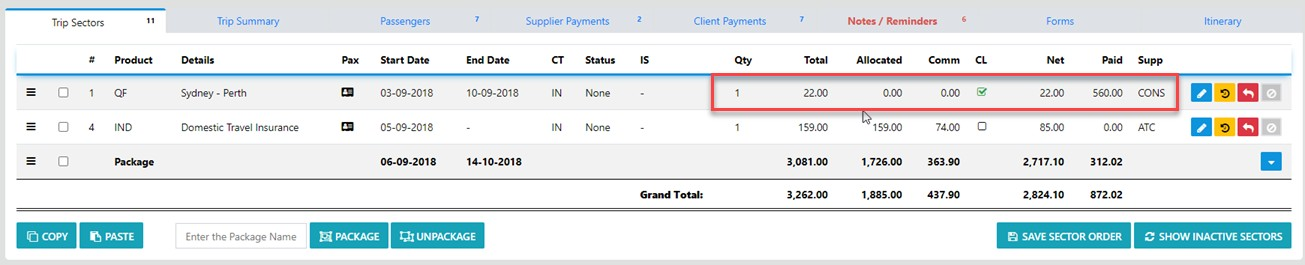
Next - depending of your office processes you may need to receipt the refund of the prior payment from the Supplier
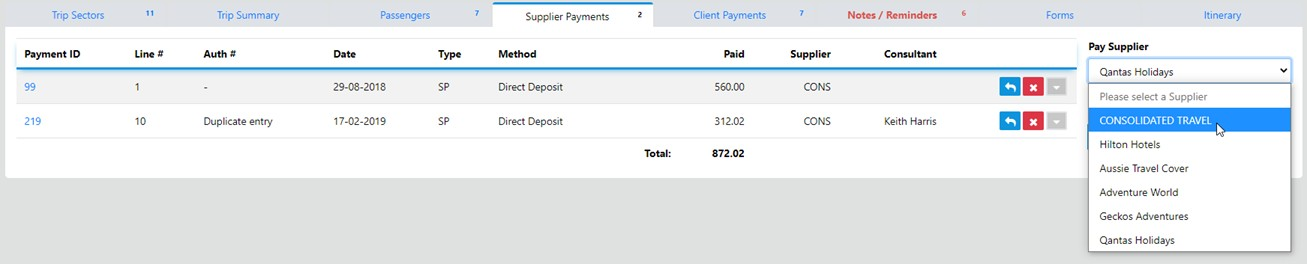
This will display as a Negative value (meaning the Supplier owes you)
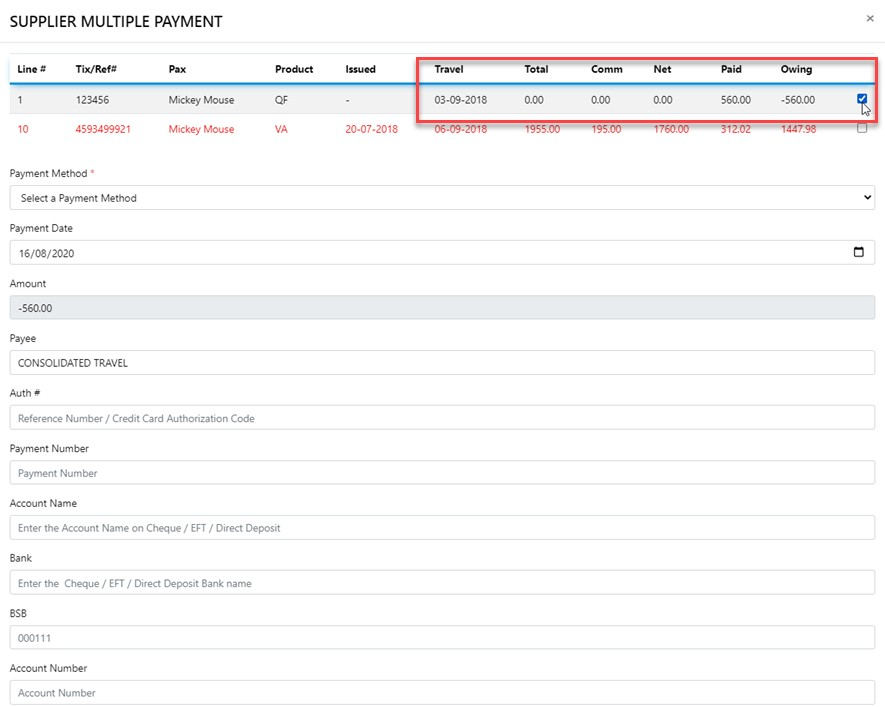
Once the refund has been processed the sector will display the results of the updated transactions on the sector

And any previously Claimed Commission will be automatically adjusted for reclaim.