
By default sectors automatically display and Print in the order they are created
Where you need to change the order of the display for the purpose of Printing an Invoice all you need do is select the sort control to the left of the sector and PUSH the line to the desired position
THEN ...

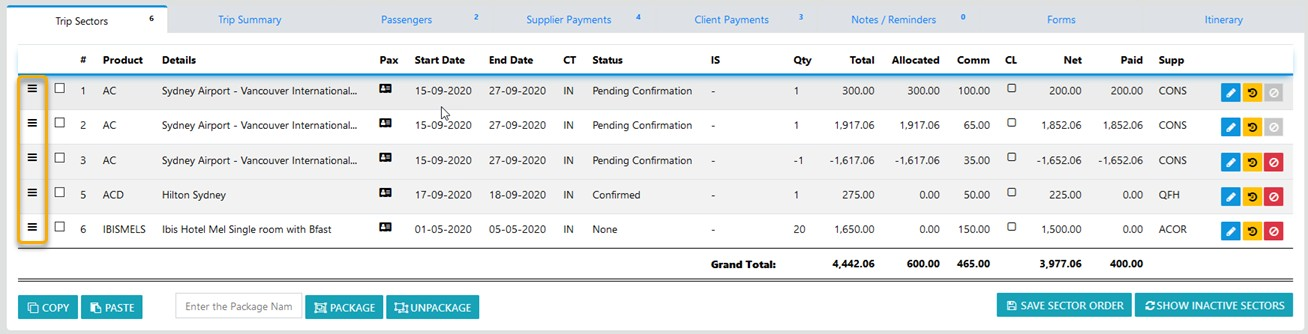
Note: the on screen order is the order events will display on Invoices