
Copy and Paste a Sector or Multiple Sectors to an Existing or New Trip
One of the many strengths of VTOUltimnate is the ability to Copy a Sector in a Trip and Paste it as a New Sector including the underlying Itinerary segment/s, this feature can also be used to Copy Sectors from one trip to any other trip in the system or to a New Client trip on the fly.
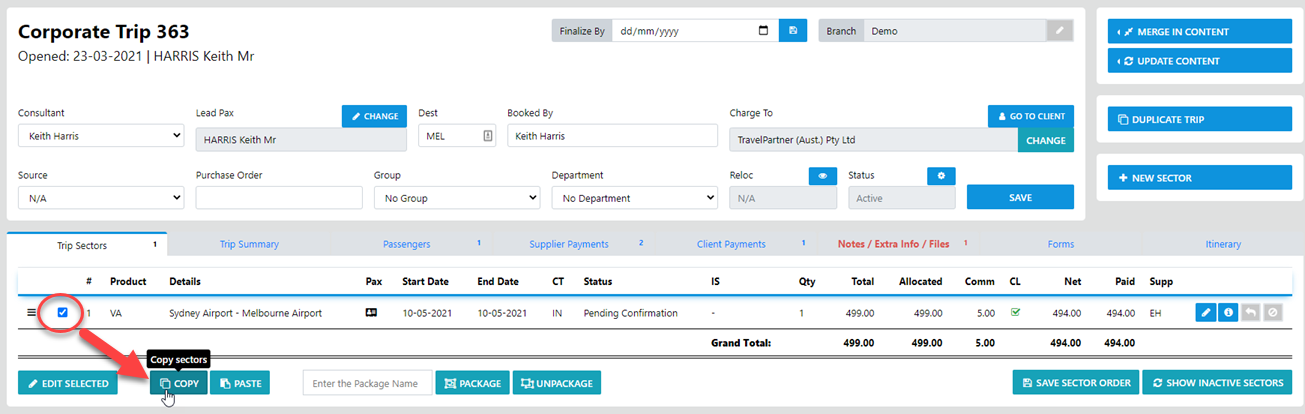
To Copy & Paste from one sector to create a replicated sector select the Check Box to the left of the sector/line item then select Copy
To Paste to a New sector within the same Trip just select Paste and the sector and the Itinerary legs will be replicated
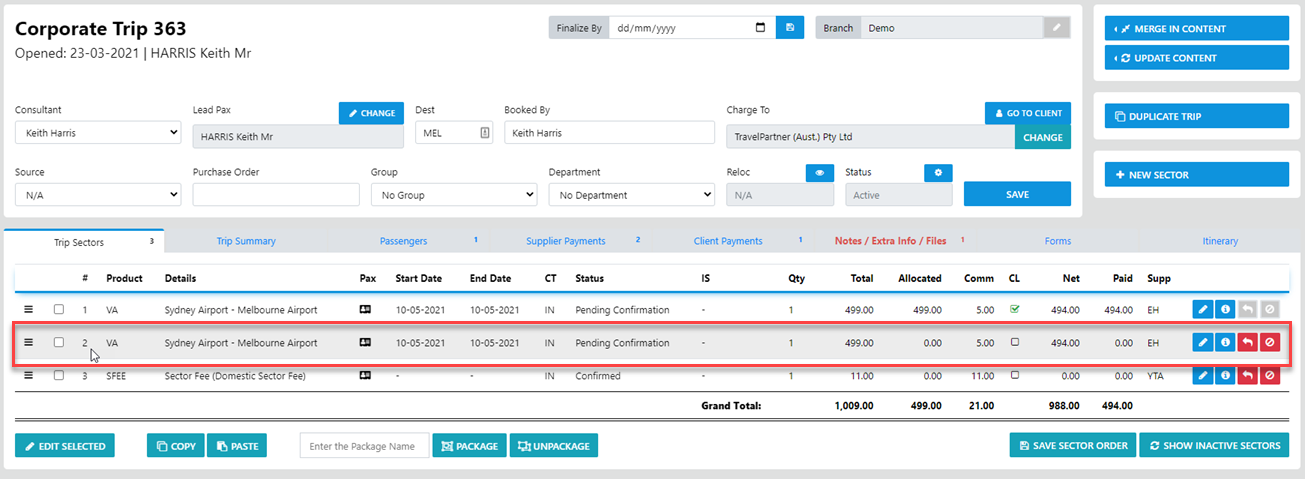
Now all you gave to do is drill down into the copied sector and update the Pax and Reference number fields and save the changes.
NEXT - you can select the Itinerary TAB and drill down into the copied itinerary legs and Update them accordingly.