
When Paying the Supplier from within a Trip you can only pay line items for the selected supplier in THE Trip
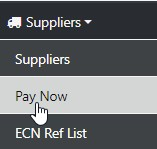
From the sidebar Owner/Managers or staff with the appropriate permissions can process consolidator payments
Select your Supplier then Open Supplier and the option to process Multiple sectors presents
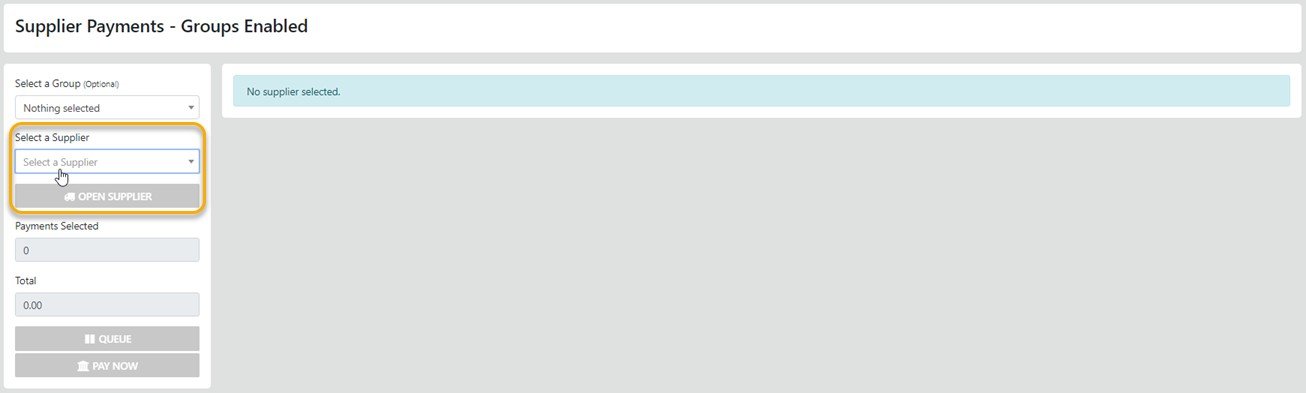
Select the Supplier from the List Box then - select open Supplier
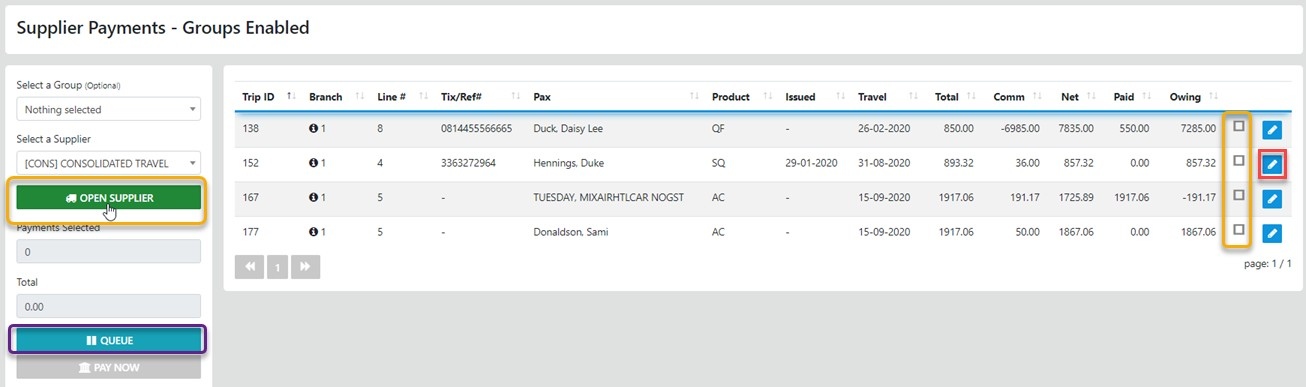
Select the "Check Box" associated with the line item/Sector you need to pay
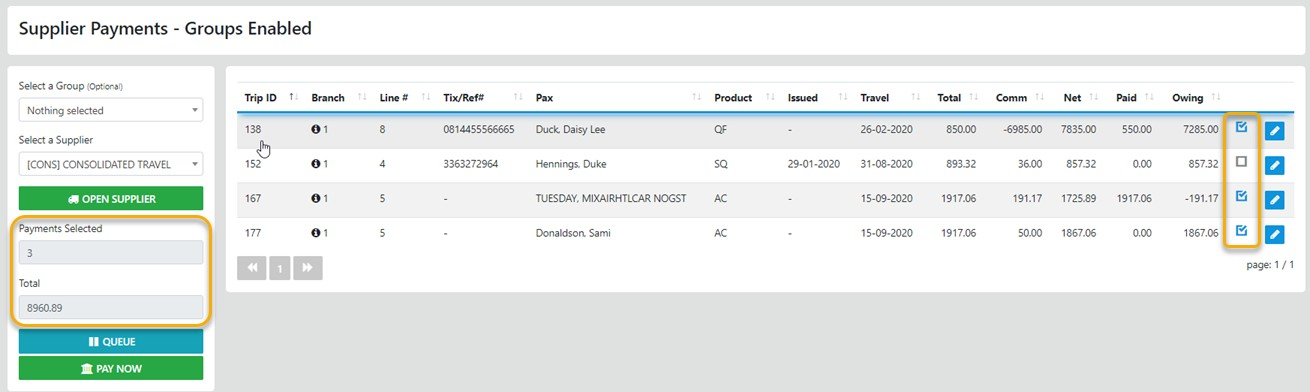
Then Select "Pay Now" and the selected sectors will display for settlement
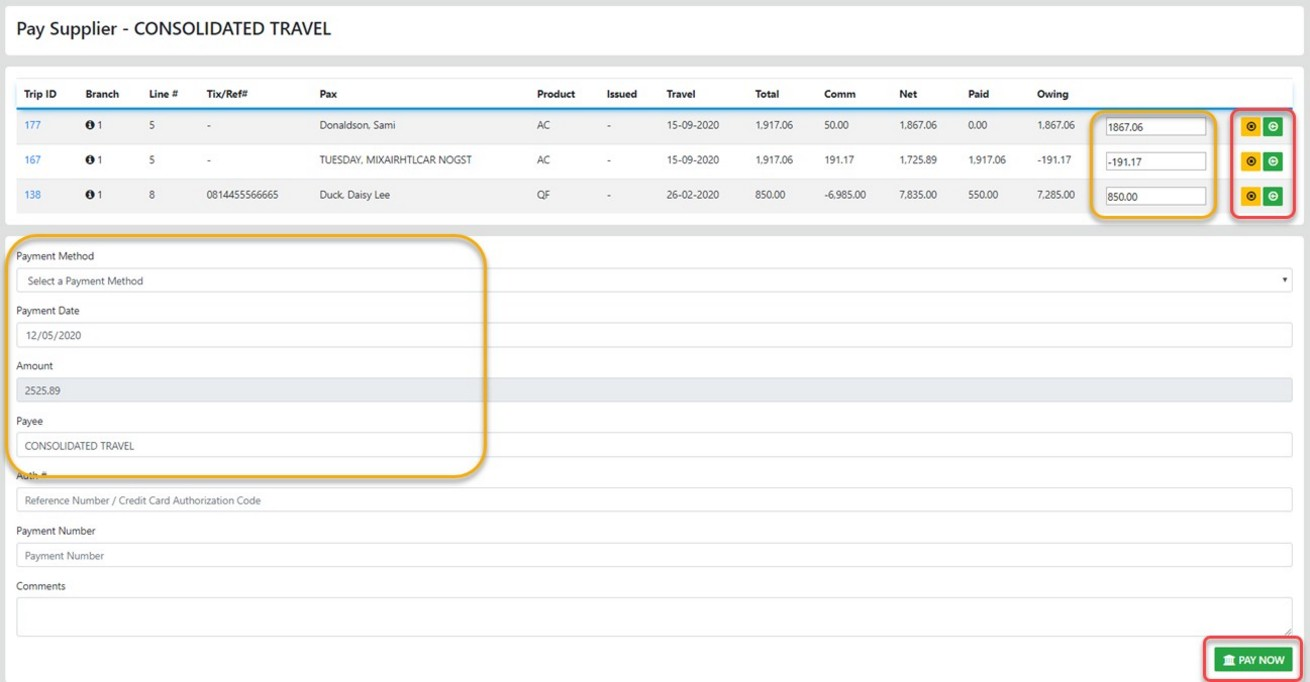
Select the Line items to pay (Negative values are subtracted/Credited) from the total amount selected
on completion select "Pay Now"
To Edit the line item select the Icon and apply the required adjustment
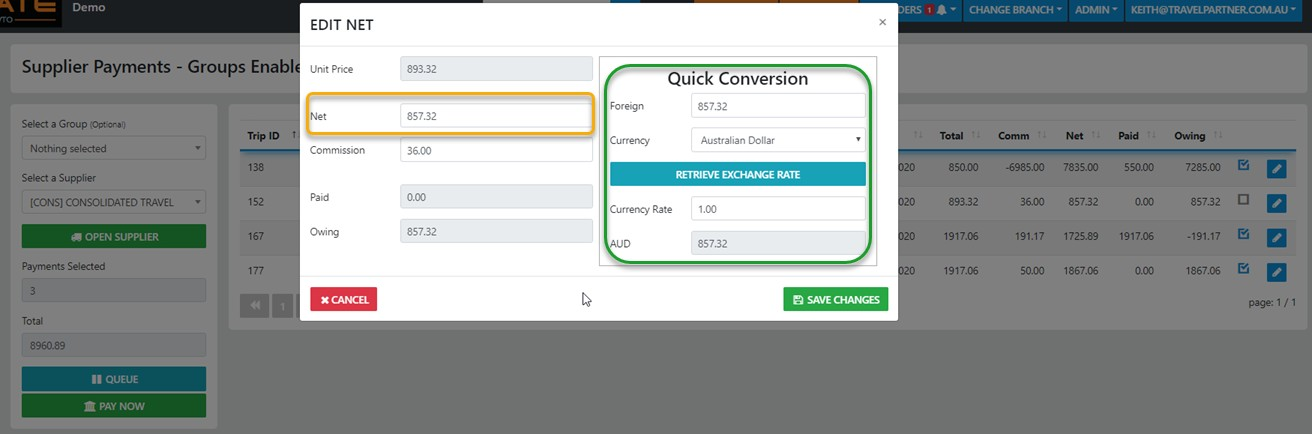
remember to Save Changes on completion of the adjustment
Note: the option to Update Foreign Currency Nets is only applicable to Wholesale versions of VTO Ultimate
Note: It is essential that you review what you have entered BEFORE committing a payment - review the Payment Date - Payment Method - Payment Amount