
Receipting Client Payments within the actual trip in Vto Ultimate
NOTE: you must receipt a separate payment for each form of payment
The Options here are
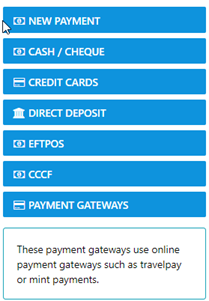
New Payment | A complete set of active Payment Methods |
Cash / Cheque | Only these two option can be selected |
Credit Cards | Only display active Credit Cards in your system |
Direct Deposit | this is used to receipt payments where the client has deposited funds into your account |
EFTPOS | Typically used to record funds receipted via your payment terminal |
CCCF | Only allows payments on a per sector basis e.g. One payment to One sector, paying multiple sectors for the one supplier is not an option |
Select Credit Card as the form of payment and only the Active Credit cards in your DB will display in the Payment Method Options list - otherwise select the desired Method
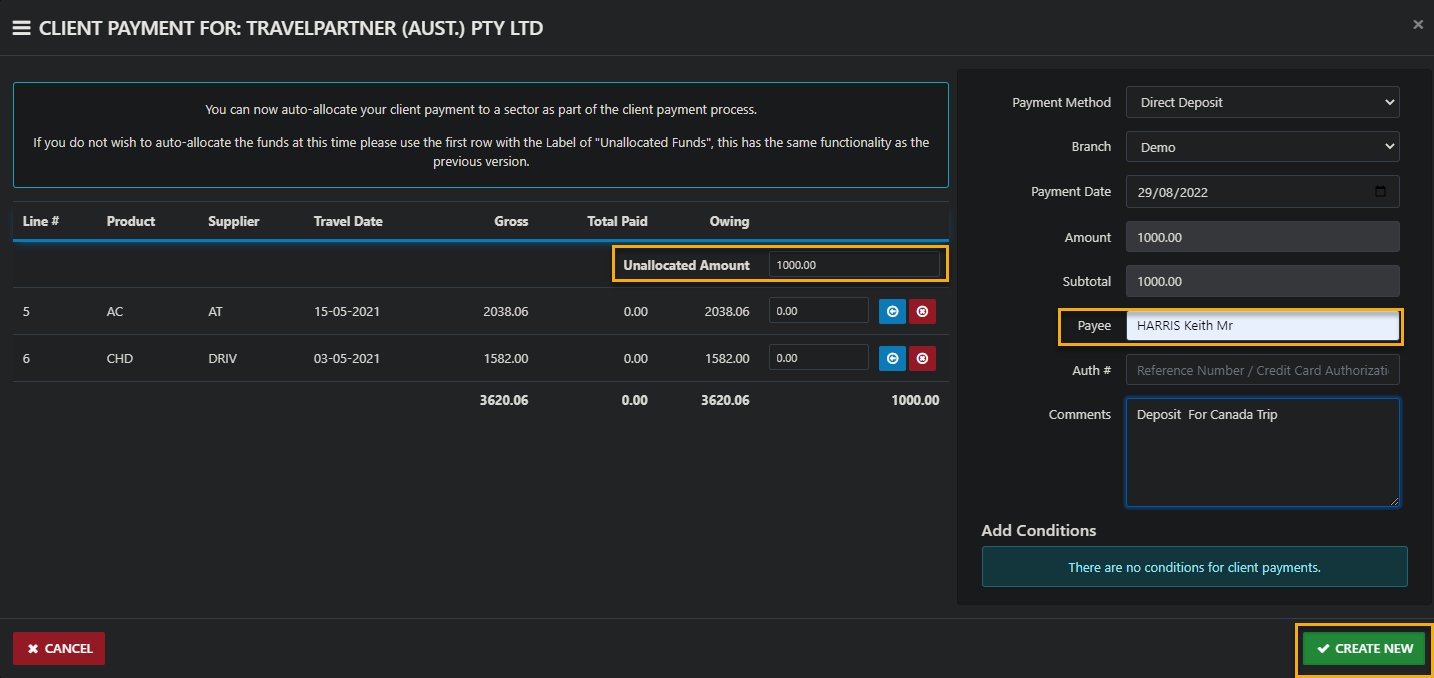
The date field will auto populate to the current date (your permissions determine your ability to pre or post date transactions) POST Dating is not recommended.
Whilst the amount owing on the trip sectors will display in the form you can enter the actual payment amount for this transaction into the Unallocated Amount Field as in the example.
After Create New has been selected the receipted payment will display in readiness for allocation to the desired sector.

The other options for receipting and allocating to the sector in one move include direct entry into the sector OR use the blue button to allocate the amount owing on the sector
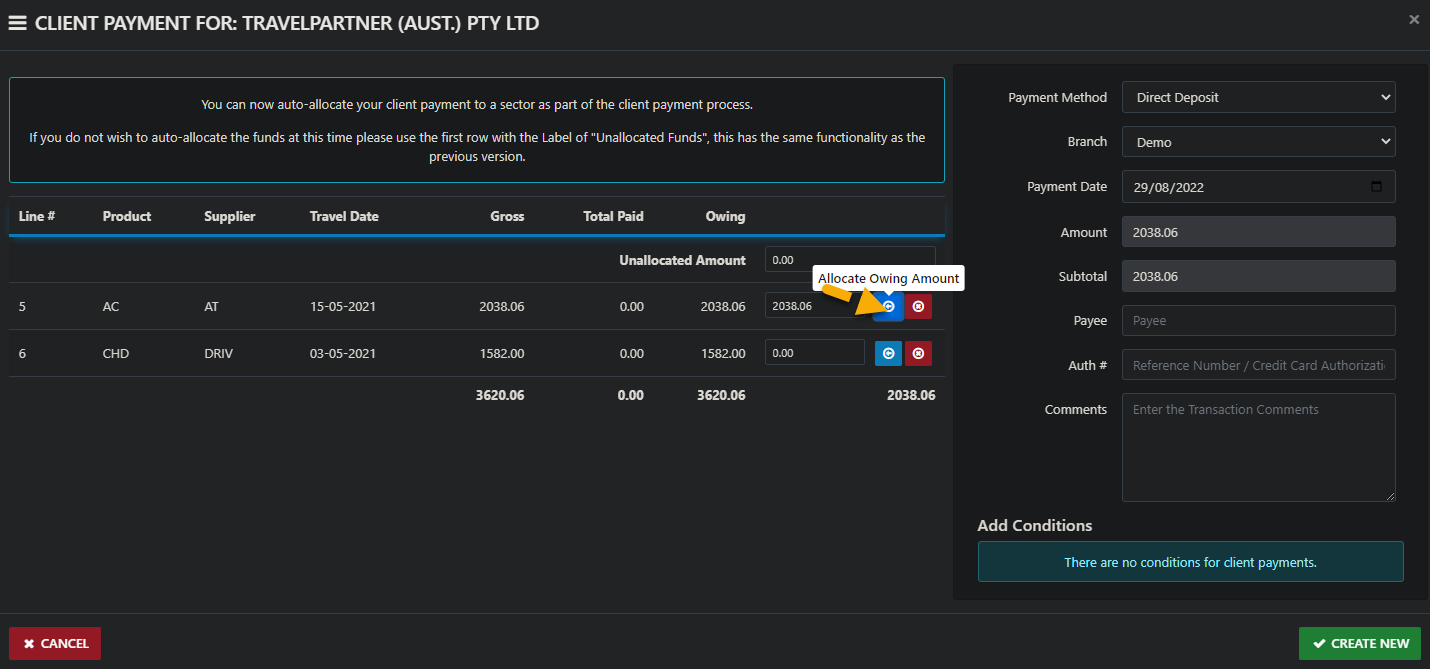
back on the sector allocation form the Icons directly associated with any unallocated funds on the sector allow for the following process depending on your permissions
 | Allocate to Sector |
 | Undo Allocation |
 | Transfer to Another Trip (This Client) |
 | Transfer to Another Trip (Different Client) |
 | Reverse this Payment |
 | Refund this payment |
 | Expand (Show Details) |
Please NOTE: when the Icons are "Greyed out" the function is disabled for the transaction