
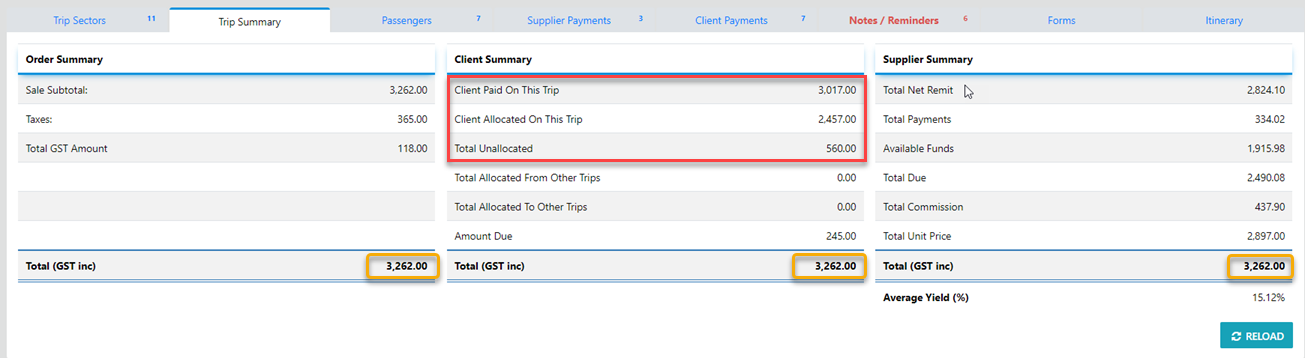
Where the payment amount exceeds the amount owing on the Trip the residual amount will remain unallocated, in this instance the "Allocation Tool" will be active.
 | Select this Icon in the sector line to allocate an Unallocated payment |
Unallocated payments can be allocated to any Trip for the selected Client where monies are still owing on that Trip or Trips or be Transferred to another Client's Trip by selecting the Transfer tool
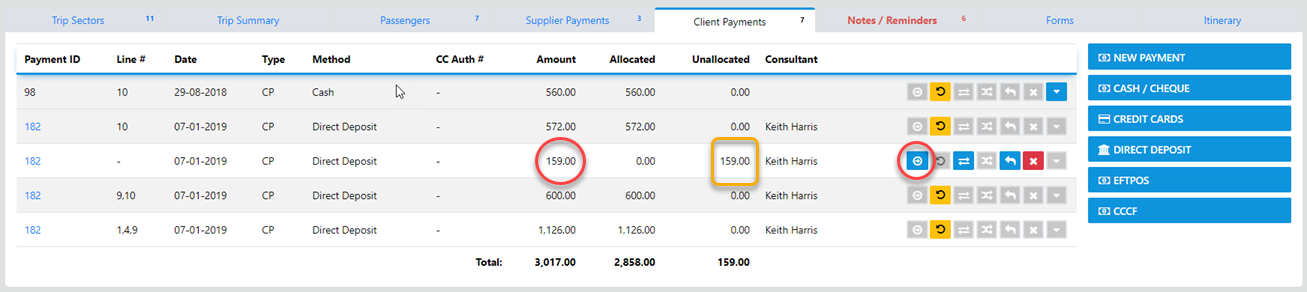
Select the "Allocation Tool" and the following Caution will display ...
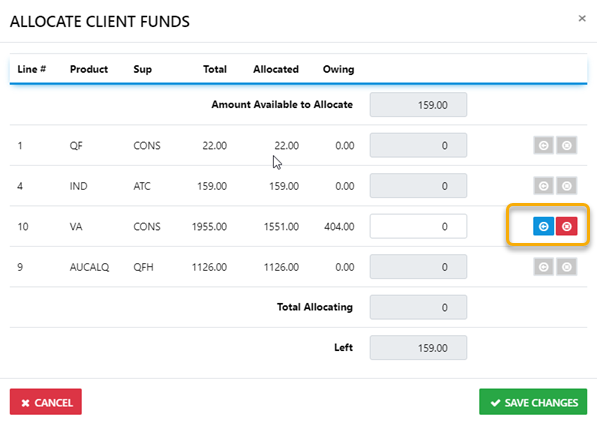
to allocate all unallocated funds to the sector select the "EasyAdd" OR enter the amount you want to allocate then select "Save Changes" and the funds will be allocated to the specified sector