
 | Select this button to Transfer funds from one Client trip to another trip for the Client (this has the same effect as allocating to another trip for the client) |
Note: The Transfer Option will only be active where there are Unallocated funds
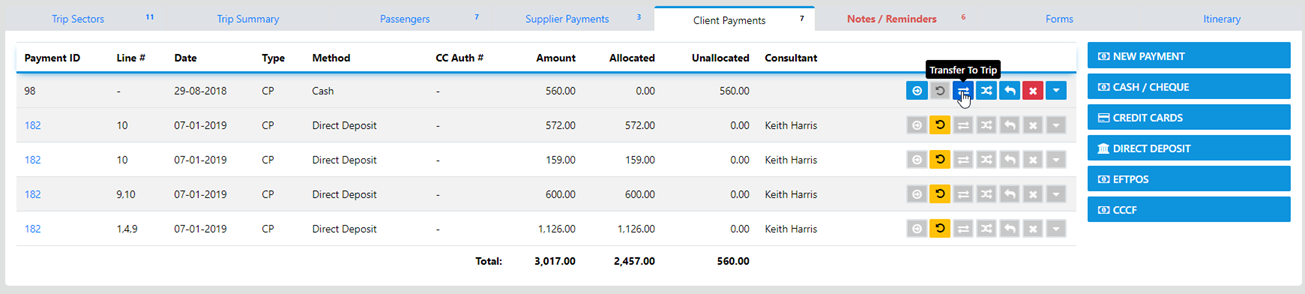
Select the "Transfer Button" and the following will display
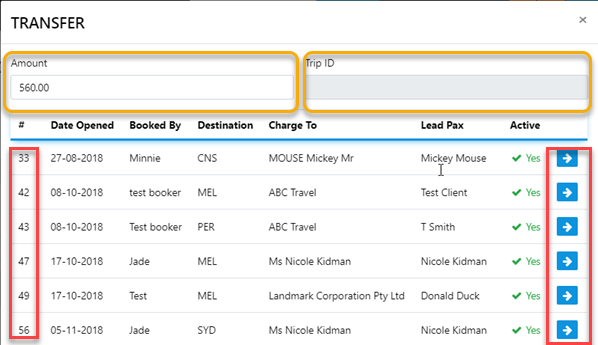
From here select the Trip Number you want to transfer the funds to then select Save Changes .... and the funds will Transferred and allocated to the specified Trip with both trips display a record of the transaction
 | To transfer funds from Client A's trip to Client B you use the this button. |
When you select the before mentioned button the following will display
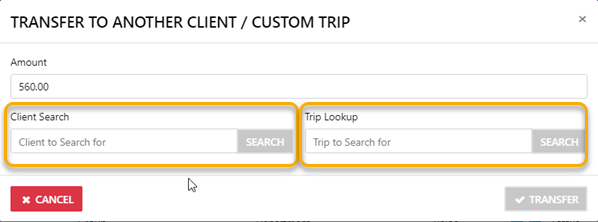
From here you can either enter the Last Name of the desired client then select Search
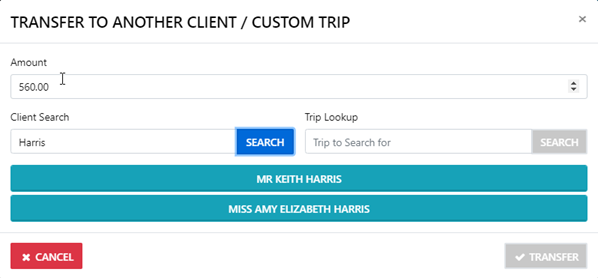
by selecting the reveal option a list of the trips for the client will display allowing for you to transfer the funds to the desired trip