
Partial CCCF Refund to Agency
Partial refunds to the agency for a CCCF are never easy as we are dealing with funds which were paid direct to the Supplier in the first instance but, the Supplier is now Refunding to you
This should NOT happen as the funds SHOULD be refunded to the Client directly However, this is what you need to to to manage this scenario
Start by selecting the Client Payments TAB

Next - select the reverse Icon and the following Modal will present
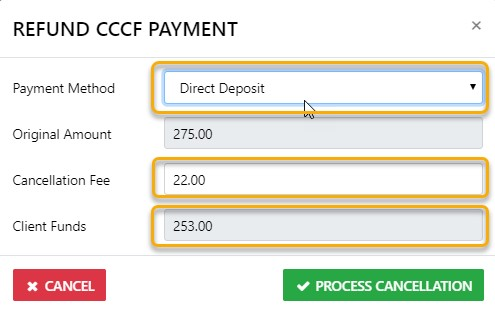
The ORIGINAL Amount is non editable
IF a cancellation fee applies enter it in the appropriate field
IF YOU are charging the client a Cancellation Fee on top of the Carrier Fee - enter that in the Agency Fee field
The Residual amount (the amount you will be refunding to the Client) will auto calculate
Finish by selecting Process Cancellation
The Result of this process is as follows:-
The CCCF Payment Reverse document will present in readiness for emailing to you client
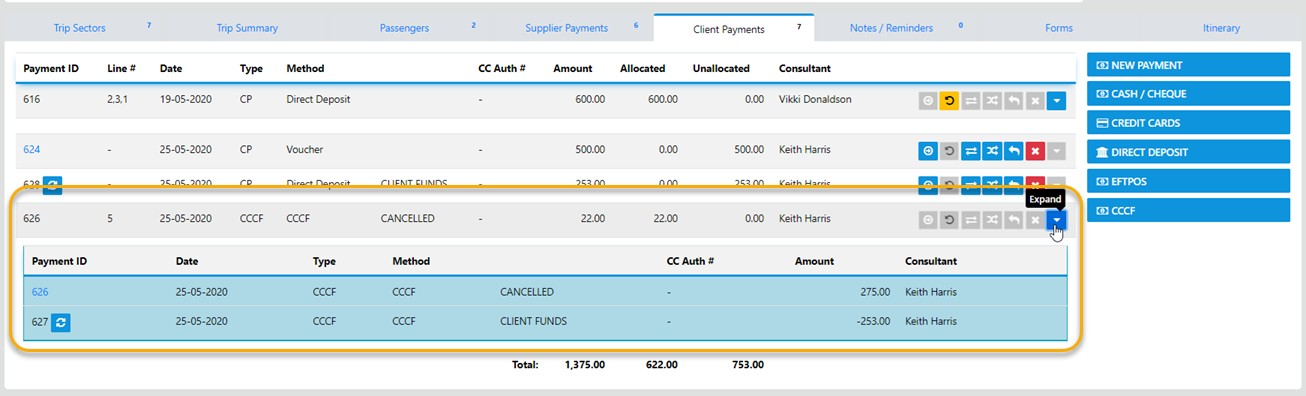
AND the system generated transactions based on what you entered will display under the Client Payments TAB like the following:-
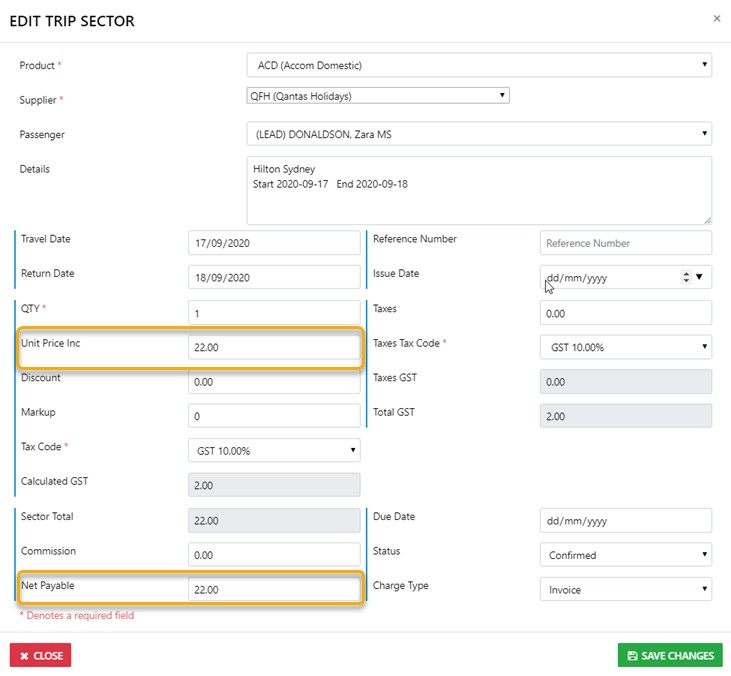
Next - drill down into the sector and revalue the Unit Price and Net Remit to equal the cancellation fee charged
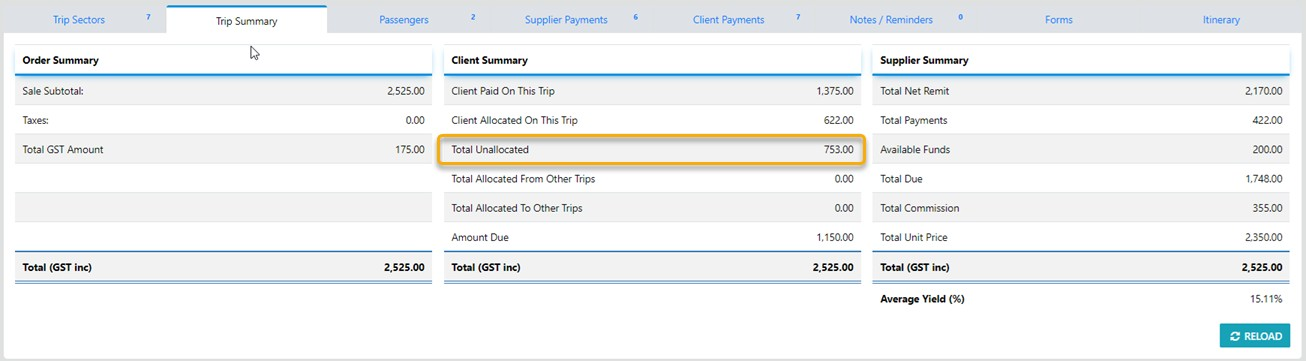
Because the Supplier has Refunded to the Agency in this instance the Residual funds will bed displayed as being Unallocated on the Trip Summary TAB
Next - Under the Client Payments TAB select the Icon to process the refund to the Client using whatever payment Method you desire
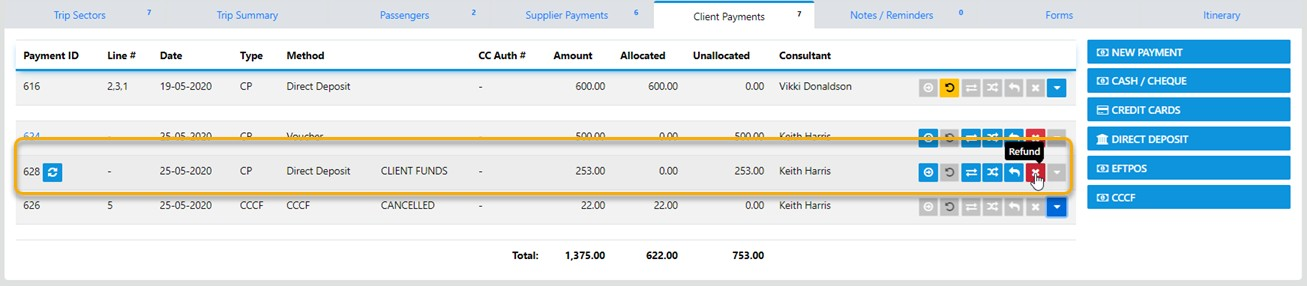
And the following modal will display
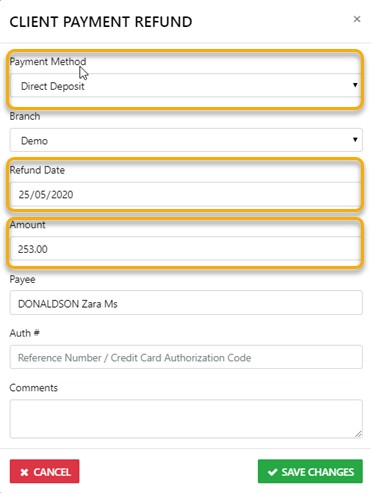
select the Save Changes option on completion