
When processing Client Payments from inside the Trip, you have multiple ways to do so ...
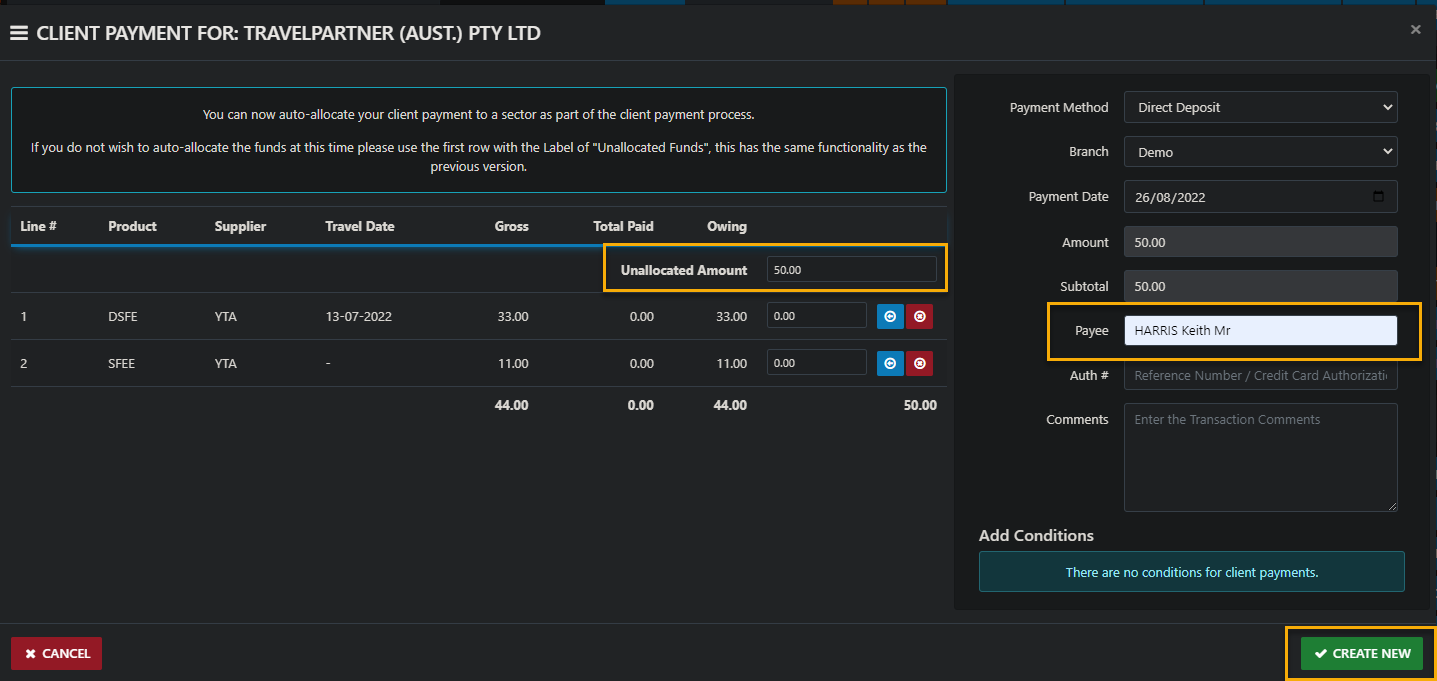
a) If you prefer to just enter the amount then allocate it later you can do that by entering the amount you're receipting into the Unallocated Funds field ... then assign the payee and save ... in the following example $6.00 will remain unallocated and can be processed as you have in the past
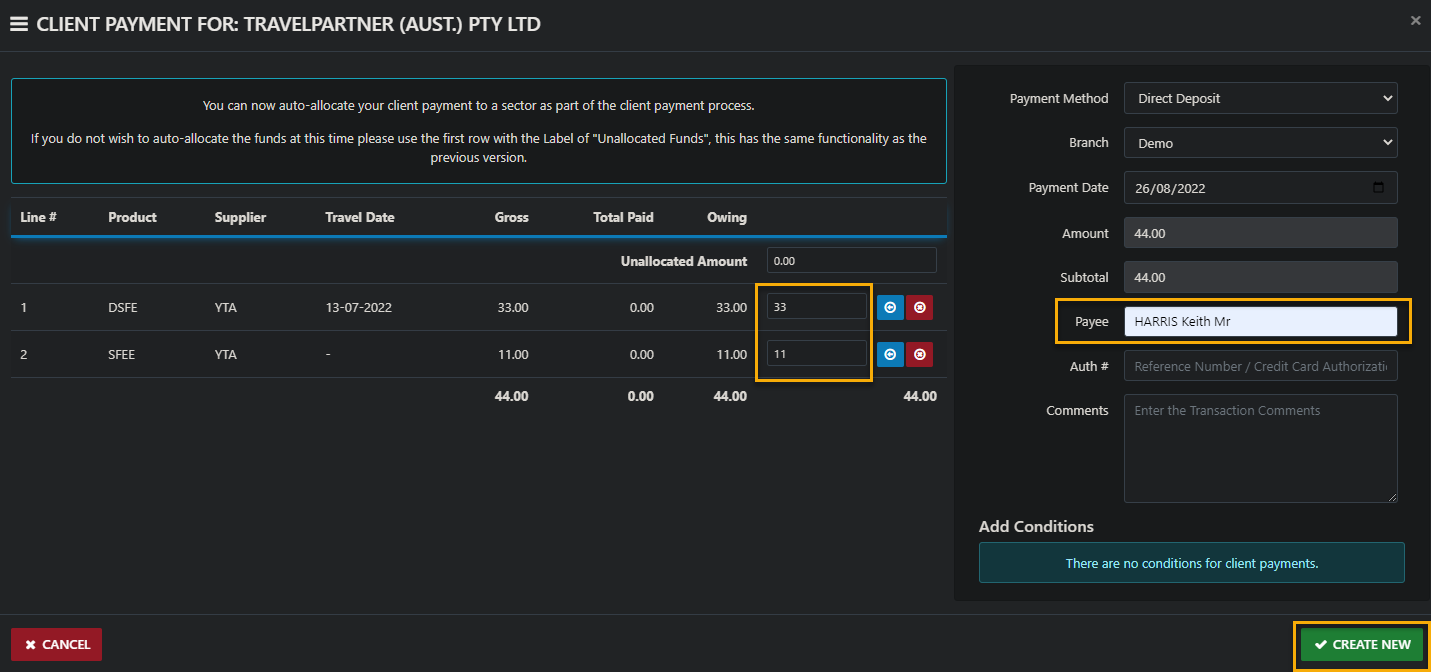
c) You can also use the third option of allocating the Full amount by clicking the Blue allocation buttons or the red ones to reset the value to 0.00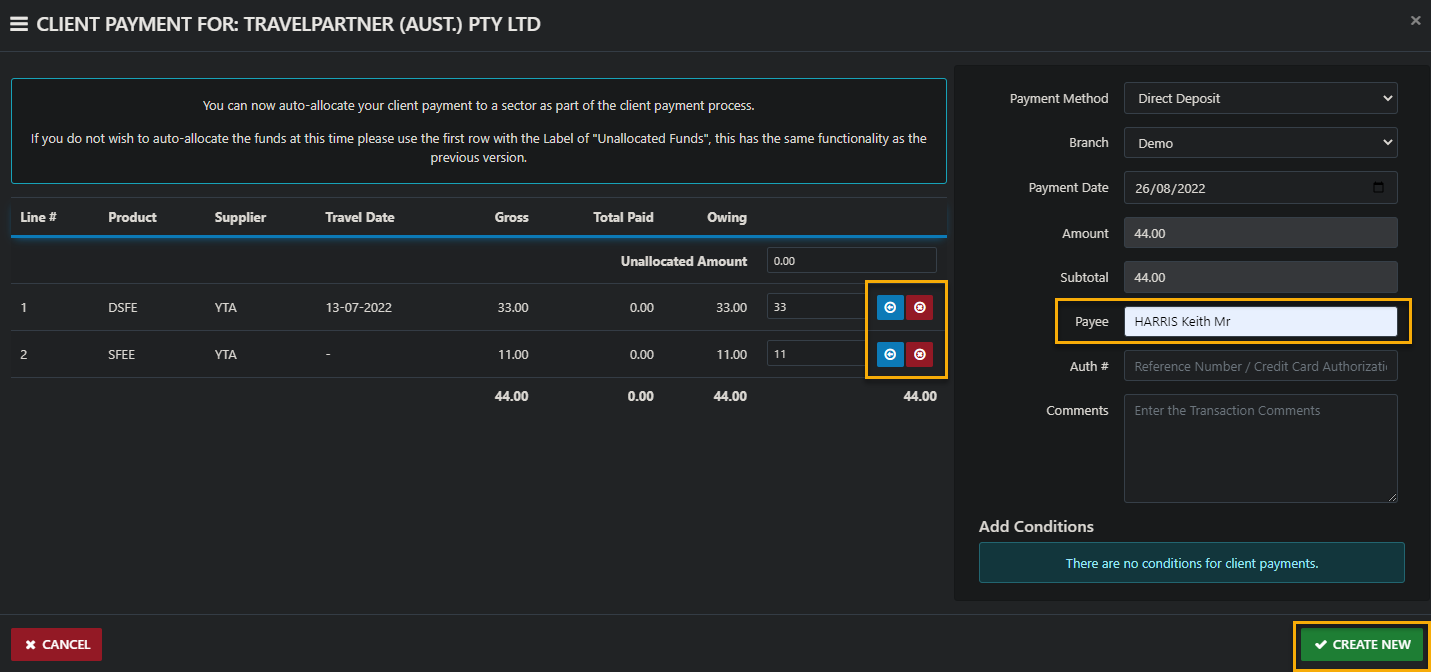
WARNING: Whatever you do ... DON'T enter a figure in the Unallocated Funds field AND additional values the sector fields.